Meta Flagged Your Account for Automation: What the Error Means, Whether It's Recoverable, and the 2026 Fix
Restricted from advertising after Meta's 'created or used with an automation' flag? Every restriction message verbatim, what each one blocks, the Business Support Home review flow, the 30-day completion window that quietly makes restrictions permanent, and the method-level fix that prevents the flag.
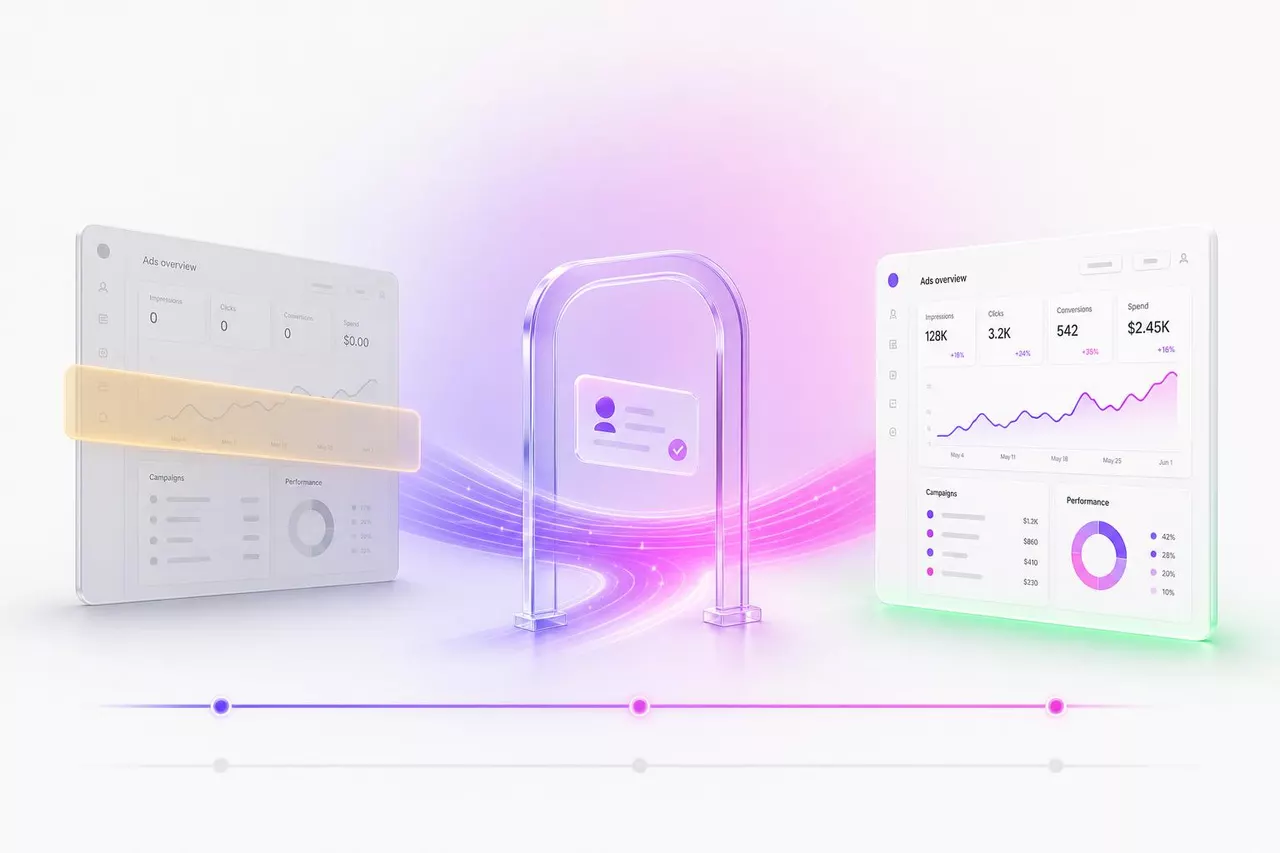
The automation flag is an Account Integrity enforcement, not an ad rejection: Meta has decided the account itself was created or operated by software that breaks its rules. It is usually recoverable. Meta's stated review turnaround is 48 hours, and documented reinstatements have come back in as little as 3 hours. One thing before you read further: if a review is already open anywhere on your account, finish the ID verification step today. A review started but not completed within 30 days converts the restriction into a permanent one.
If you pasted the error into Google, this is the full text you are holding:
"Why this happened: It looks like this account was created or used with an automation that doesn't follow our rules. This goes against our Advertising Standards on Account Integrity. Examples of things we don't allow: automations where a large amount of activity is quickly created by a machine; automations that mimic human activity; automations which take away from authentic, human activity. About Meta's rules: restrictions help create a safe community and empower meaningful connections across Meta."
Everything below is the reference you will want over the next 30 days: every restriction message Meta shows, what each one blocks, the 2026 review flow with its two deadlines, what actually triggered the flag, and the honest answer on new accounts. Where a claim comes from practitioner reports rather than Meta's own text, this page says so.
The exact errors, decoded
Meta runs one enforcement system across at least five asset levels, and each level speaks its own string. Match yours below; the wording tells you which asset is hit, how bad it is, and which review path applies. Strings marked as reported come from advertiser screenshots and threads, since Meta's help pages do not print most of them.
"It looks like this account was created or used with an automation"
Asset hit: new ad accounts (rejected at creation), Business Managers, and personal advertising access.
Where it appears: the "Why this happened" restriction reason in Account Quality / Business Support Home. This is not a login checkpoint; it is the stated cause attached to an advertising-access restriction or ad-account rejection.
Severity: account-level Account Integrity enforcement. The full dialog is quoted at the top of this page. Waves of identical rejections hit advertisers in late 2024, including aged profiles linked to agency Business Managers, so getting it does not prove you ran a bot. The review path is Request review plus ID verification.
"We suspect automated behaviour on your account"
"We suspect automated behaviour on your account. To prevent your account from being temporarily restricted or permanently disabled, ensure that no other users or tools have access to your account and that you're following our Terms of Use. Also consider changing your password to a stronger one to prevent unauthorised access to your account by third parties."
Asset hit: personal Facebook profile.
Where it appears: in-app notification. The British spelling is locale-dependent rendering.
Severity: the warning stage, before any restriction. Nothing is blocked yet. Treat it as the cheapest exit you will get: disconnect every tool that holds your password or session, change the password, and stop any scripted activity the same day.
"Your Advertising Access is Restricted"
"Your Advertising Access is Restricted. You're no longer allowed to use Facebook Products to advertise. You can't run ads, manage advertising assets or create new ad or business accounts."
Asset hit: you, the person. This follows the human, not the ad account.
Where it appears: a notification on the personal account plus an Account Quality entry. Inside Ads Manager it shows as a red restriction banner with an "account status overview" link and a "what you can do" box holding the Request review option.
Severity: the broadest personal-level block, and read the last clause again: it already bans creating new ad or business accounts. That sentence is why the "just make a new account" workaround is itself a violation, covered below. Meta also distinguishes partial restrictions, where per its help text "you can still use your business and assets to advertise, but with restrictions on ad spend, delivery and certain features", from this full form.
"Your ad account has been disabled"
The red banner at the top of Ads Manager. The exact sentence varies with the cause; it typically reads "Your ad account has been disabled for violating our Advertising policies", with a right-side button offering Request Review, Confirm Account Information, or Contact Support.
Asset hit: one ad account. Campaigns in it freeze immediately.
Severity: serious but scoped, and usually reviewable. The exception is the terminal variant reported by agencies: "This ad account has been disabled and is not eligible for reinstatement." That wording means the in-product path is closed for this asset and your remaining options are the escalation ladder further down.
"Your payments account was disabled"
"Our records indicate that your payments account was disabled because it violates Facebook's Terms of Service. To protect our users, we can't confidently re-enable your payments account at this time. Please note, we take many factors into account when disabling payments, including spend history, ad characteristics and contradictory account information."
Asset hit: the payments account behind your ads.
Where it appears: email, not an Ads Manager banner.
Severity: different recovery route. Payments disables run through the email and support channel rather than the standard Request review flow, and note the named factor "contradictory account information": card country versus residence mismatches show up repeatedly in payment-triggered bans. Fix the payment inconsistency before appealing; payment-fix restorations have landed within about 24 hours of a successful charge.
"This Page isn't allowed to advertise"
"This Page isn't allowed to advertise... the Page didn't comply with one or more of our Advertising Standards, such as having too many ads rejected, attempting to circumvent our ad review process, participating in fraudulent behavior, or associating with untrustworthy accounts"
Asset hit: the Facebook Page, so healthy ad accounts cannot run ads from it; see which asset is restricted and how to request the Page review.
Business portfolio restricted
Business Manager restrictions show as a restricted status on the business portfolio in Business Support Home, frequently citing the same Account Integrity automation reason as the first string above. Honesty note: unlike the other entries here, no clean verbatim banner for the BM level has been pinned publicly, so this one is described rather than quoted.
Asset hit: the whole Business Manager: every ad account, pixel, audience, and Page permission inside it.
Severity: the widest blast radius. Recovery usually requires business verification on top of the standard review, and reported timelines run 5 to 7 business days for straightforward verified cases, stretching to 14 to 60 days for complex ones.
"More than 30 days have passed... This is our final decision"
"More than 30 days have passed since you started but didn't complete a request for review of your advertising access that was restricted due to unusual activity on your account... you won't be able to advertise using Meta Products. This is our final decision."
Asset hit: whatever the unfinished review covered, now permanently.
Severity: terminal, and entirely avoidable. This string exists only because someone hit Request review and then stalled on the ID upload. No ranking guide for this cluster mentions the 30-day completion window; it is the single most actionable fact on this page.
Searching for an "automated browser access" error?
There is no message in Ads Manager that says "automated browser access" or "bot detection", and any guide quoting one is inventing UI text. When Meta's systems catch browser automation, what you actually see is one of the strings above: the disabled or restricted banner citing "unusual activity", or the Account Integrity automation reason. The detection itself reads the browser, not the banner: webdriver flags, headless rendering tells, TLS fingerprints, datacenter IP ranges, and machine-regular timing. The full detection stack is broken down in our guide to automating Facebook without getting banned.
How the stages connect when the flag escalates:
Is it recoverable? The honest odds
Meta's stated review window is a maximum of 48 hours, and the happy path is real: a personal advertising ban reversed in 3 hours after an ID resubmission, an ad account disabled over link redirects reinstated within 24 hours of fixing the links and appealing, ID-path recoveries landing "a few days later" with the reinstatement notice advertisers wait for: "Advertising Access Reinstated. After a requested review of your Facebook account, we determined that access to advertising was incorrectly restricted."
The distribution has a fat tail on both ends. Automated denials come back in as little as 3 minutes, which tells you no human read the appeal. Weeks of silence is common. And the strangest documented pattern runs the other way: spontaneous reinstatements at 1, 2, and even 4 years, where a review button that had been greyed out for years reappeared unprompted, the advertiser resubmitted ID, and access came back within days. The pattern suggests periodic bulk re-reviews. It is real, and it is not a plan.
Three things reliably destroy recoverability: attempting ban evasion with new accounts, drawing "not eligible for reinstatement" wording, and missing the deadlines below.
Two clocks start the moment you are restricted
Start a review, stall on the ID upload, and on day 30 the restriction converts to permanent: 'This is our final decision.'
After roughly 180 days, practitioners report reinstatement is off the table and disabled ad accounts are deleted.
Decision: if a review is open anywhere on your account, finish the ID step today. Everything else on this page can wait.
What actually triggers the automation flag
Meta's Community Standards on Account Integrity name the core trigger in one clause, and the parenthetical is the part that matters:
Meta restricts accounts involved in "Creating or using an account or other entity through automated means, such as scripting (unless the scripting activity occurs through authorized routes and does not otherwise violate our policies)".
Scripting through authorized routes is allowed; scripting through your logged-in session is not. That single sentence separates every tool that connects through Meta's Marketing API from every tool that drives a browser with your cookies. The table splits what Meta's own policy confirms from what practitioners consistently report:
| Trigger | Status | What it looks like in the wild |
|---|---|---|
| Browser automation with your session (scripts, extensions, AI browser agents) | Meta policy + reported | Full automation ban notice after "a single message automation" (Nov 2024); a BM restricted for suspected automation while running only Metricool and GoHighLevel plus an occasional VPN (May 2025) |
| Policy strikes accumulating (rejected ads) | Meta policy | "Too many ads rejected" is named in Meta's own Page restriction notice |
| Compromised-account patterns | Meta policy + reported | Hacked admin profile leads to unauthorized ads, then mass restrictions across client accounts (May 2025) |
| Linkage to a flagged BM or disabled entity | Meta policy | Policy restricts assets "owned by the same person or entity" as a disabled account; agency consensus is one BM per client for exactly this reason |
| Third-party tools holding your password | Meta ToS + reported | A VA logging into a client account tripped "suspicious activity"; the account was never recovered |
| VPN, geo-hopping, new devices | Reported only | Meta policy never names VPNs; reports are consistent (UK to Thailand relocation, frequent travelers, two-city logins) |
| New-account velocity (fresh profile, immediate ad spend) | Reported, near-universal | Shopify merchants report bans within 60 seconds of a first campaign on a fresh account |
| Payment failures and billing mismatches | Reported | Single declined charges and card-country mismatches preceding "unusual activity" disables; chargebacks reported as an immediate trigger |
Two honesty notes. First, no credible report shows Meta naming any consumer AI browser agent in ad-account enforcement as of July 2026; agents driving a logged-in session simply fall into the generic automation bucket above. Second, the flag also hits people who did nothing: one advertiser was restricted for suspected automation during Business Manager signup, before running anything. False positives are part of this system, which is why the recovery flow matters more than the self-diagnosis.
The recovery walkthrough (2026 surfaces)
The current name for the recovery surface is Meta Business Support Home at business.facebook.com/business-support-home. The legacy URL facebook.com/accountquality still works and lands in the same place, and "Account Quality" survives as a menu label inside Ads Manager. Guides still routing you to the old accountquality.facebook.com subdomain flow are describing 2022. Meta's own instruction, from its help documentation: "Go to Business Support Home, click Account status overview, choose the restricted account, and follow the on-screen steps. Your account will be reinstated if no further action is required."
- Open Business Support Home and click Account status overview. You will see every business portfolio, ad account, commerce account, and Page with its current status.
- Select the restricted asset and hit Request review. Only an admin of that asset can file it.
- Clear every checkpoint Meta raises, immediately. Government ID upload, two-factor enablement, the secure-account flow, and business verification for BM-level cases. This step is where the 30-day clock lives: finish it the day you start it.
- Then check the status daily. A reinstatement email is not the end; verify Account status overview actually flipped, because "reinstated but still restricted" glitches are documented and Meta agents have called them technical errors.
Per-asset adjustments:
- Personal advertising access: the standard flow above. Expect an ID checkpoint; upload a clean, unedited photo of a government ID. Notarized or scanned-and-adjusted documents have been rejected as "modified".
- Disabled ad account: same flow, one addition: if the cause was a payment failure, fix the payment method first. Restorations have followed within about 24 hours of a successful charge. If the banner says "not eligible for reinstatement", skip to the escalation ladder.
- Restricted Business Manager: complete business verification before expecting movement on the review. Straightforward verified cases have cleared in 5 to 7 business days; complex ones run weeks.
- Restricted Page: request review from the Page's restriction notice or through Business Support Home.
- Hacked-account pattern: secure the account first at facebook.com/hacked, then appeal. Restrictions will not lift while compromise signals persist.
What to expect, by asset level
| Level | Meta's stated timeline | Reported reality |
|---|---|---|
| Personal advertising access | Maximum of 48 hours | Bimodal: 3 hours to days on the ID path; 3-minute auto-denials; weeks of silence common; spontaneous lifts at 1, 2, and 4 years |
| Disabled ad account | Most cases within 48 hours | 24-hour clean fixes; 3 to 7 business days first response; 5 to 21 days pending review; payment-fix restorations ~24 hours |
| Restricted Business Manager | No published SLA | 5 to 7 business days verified and straightforward; 14 to 60 days complex; hacked-BM cases run months |
| ID / business verification | ~48 hours | Up to a week; a documented infinite-loop failure mode with zero feedback exists |
The ID checkpoint deserves its own warning, because it is where recoveries die. Documented failure modes: compliant IDs rejected repeatedly, a license "deemed false" by the automated check, a video selfie attempted around 50 times with no feedback, and the "Identity Confirmation Failed" red box with no explanation. If the ID loop eats an attempt, change one variable at a time: better lighting, a different document, a different device. Do not burn attempts on identical resubmissions; a reported (though unverified) cap of three review requests circulates for a reason.
Review denied or button missing: the real escalation ladder
A denial in minutes was an automated decision. The ladder from there, in the order that costs you least:
- Re-appeal with actual changes. Fix an identifiable root cause (the redirect links, the payment method, the connected tool), say what changed in plain sentences, and wait at least 48 hours between attempts. Unchanged resubmissions get auto-rejected. Vendor estimates put well-built appeal reversals at 25 to 35 percent; treat that as directional, not a promise.
- Business verification. Recovery services claim it significantly improves the odds. That claim is vendor-sourced and no public thread proves verification alone flipped a personal restriction, but it is free, fast, and required for BM recovery anyway.
- Business Help Center live chat, when it is reachable; it is generally available to active advertisers.
- Meta Verified, with expectations set low. TechCrunch reported in July 2025 that paying subscribers got canned responses and three-month back-and-forths during mass ban waves, and one Verified phone rep told a user the only route was the standard appeal plus waiting out 180 days. Occasional successes exist. Most vendor blogs sell Verified as the fix; the record does not support that.
- External pressure. State attorney general consumer complaints, BBB complaints, and small claims court. In one May 2025 case, a 15-year account's appeal was denied 3 minutes after filing; the owner filed small claims, Meta's attorney reached out about two weeks after service, and the reported pattern is reinstatement before the court date.
- Time. Documented spontaneous lifts at 1, 2, and 4 years mean a dead review button is not always the end. Keep checking monthly; buttons reappear.
If your Request review button is missing or greyed out entirely, be aware there is no reliable in-product fix. Documented cases include the link looping back to the notice with no button while support chat promised three times it would "magically appear", and restrictions showing "No Ads Rejected" with no actionable surface at all. The working responses are the ones above: keep checking, file "Something isn't working" reports, and climb the ladder.
"Can I just make a new account?"
The policy answer first, because it is unambiguous. Meta's Account Integrity standard says it may restrict or disable "accounts, other entities, or business assets that are created or repurposed to evade a previous account or entity removal, including those assessed to have common ownership and content as previously removed accounts or entities". Note "business assets": the clause reaches Business Managers and ad accounts, not just profiles. The Advertising Standards add that "Advertisers must not evade or attempt to evade the review process and enforcement actions", and the personal restriction notice itself already bans creating new ad or business accounts.
The practical answer matches the policy one. Documented cascade attempts: a new profile on a relative's login with a VPN and a fresh Amex, re-restricted ("somehow they know it was me"); a new Facebook on a new email that "lasted like a day" before linking to the original and going down with it; an identity-level ban where "any new accounts I make just end up getting banned in a few days"; and one user who could not even complete signup on a new profile from the same IP. Linkage runs on IP, device fingerprint, phone number, email, payment method, and reused photos. Even an alternate account suggested by a Meta support agent got restricted.
One variant sits in a gray zone: creating a new ad account inside a Business Manager in good standing after an isolated ad-account disable. Practitioner consensus treats that as structurally normal while the person and the BM are clean. No official Meta text blesses it, and the trap is real: one advertiser opened a second ad account just to fix a currency setting, closed the first, and drew an immediate Circumventing Systems restriction. If you go this route, do it only for an isolated ad-account issue, never to route around a personal or BM-level restriction.
About the sellers in every recovery thread: aged profiles, rented "agency accounts", and Telegram unban services colonize every forum discussion of this topic. Buying an account violates the same Terms that got you restricted, feeds the linkage systems a fresh set of assets to connect to you, and funds the ecosystem that causes the false-positive waves. The review path is slower and it is the only one that ends with an account you own.
Prevention: the method decides your risk
Go back to the policy clause: scripting is banned "unless the scripting activity occurs through authorized routes and does not otherwise violate our policies". Meta wrote the exception into its own standard. The Marketing API, reached through OAuth with scoped permissions like ads_management, is the authorized route. A bot or AI agent driving your logged-in browser session is not, and Meta's Terms close the loophole people assume exists: "You may not access or collect data from our Products using automated means (without our prior permission)... regardless of whether such automated access or collection is undertaken while logged-in to a Facebook account."
The failure modes prove the distinction better than the policy does. When an OAuth-connected tool trips a checkpoint, the tool gets a token error, "user is enrolled in a blocking, logged-in checkpoint", the integration stops, and you clear the checkpoint. When browser automation trips the same systems, there is no token to break; the account is the integration, so the account takes the enforcement, and because a flagged session is indistinguishable from a stolen login, the flag cascades: profile, Page, ad account, Business Manager. One method breaks a tool. The other breaks you.
The honest caveat carries over from our safety guide: the API is the sanctioned path, not a magic shield. One Make.com user reported an ad account restricted about a week after firing test purchase events through the official Facebook module; synthetic-looking velocity on a cold account trips behavior detection regardless of route. Keep volume human, run tools on established verified accounts, and keep a person approving what goes live. The full method breakdown, including what Meta's detection stack reads and how real ad platforms connect, is in Why Automating Facebook Ads Gets You Banned. If you want an AI agent on your ad account specifically, the sanctioned setup is covered in connecting Claude to Meta Ads, and the platform-by-platform MCP picture lives on the connect hub.
This is the connection model AdMakeAI is built on.
Agent Flow publishes to Facebook through an authorized, API-based connection: OAuth on Facebook's own screen, scoped permissions, and your confirmation before anything goes live. AdMakeAI never sees or stores your Facebook password, and no browser is ever driven as you.
Will Meta ban my account for ad copyright?
Both extreme versions of this answer are wrong. A single infringing ad does not permaban an account, and copyright enforcement does not stop at the ad level either. Meta's Advertising Standards say "Ads may not contain content that violates the intellectual property rights of any third party, including copyright, trademark or other legal rights"; a first violation or an IP report gets the ad disapproved or removed. The account-level risk starts with repetition. Meta's published repeat infringer policy: "If you repeatedly post content that infringes someone else's intellectual property rights, such as copyrights or trademarks, your account may be disabled or your Page removed", with actions that "may depend on the nature of the reported content and where it was posted", including losing access to certain features first.
So the operating rule: one IP rejection is an ad problem; a pattern of them is an account problem, and the Page restriction string earlier on this page lists "too many ads rejected" as a named trigger. If an IP report was wrong, respond through the counter-notice link in the notification rather than re-uploading the creative; re-running removed content reads as circumvention. The tidy escalation ladders vendor blogs print for IP strikes (ad, then account, then BM, then permanent) are directionally consistent with the policy but are not Meta's language. Licensed music, cleared images, and your own product shots keep you out of the entire mechanism.
Restricted-from-advertising FAQ
Related Resources
Why Automating Facebook Ads Gets You Banned
The prevention deep dive: what Meta's detection stack reads and the sanctioned way to automate.
Connect Claude to Meta Ads
Giving an AI agent Meta access through scoped tokens instead of your browser session.
Meta Ad Library Scraping & Terms of Service
The "automated means" clause in full, applied to ad research instead of ad publishing.
Why Does Meta Say "No Ads"?
The other confusing Meta status message, decoded the same way.
Make your next ad from what already runs
Research what competitors are running, then generate your own on-brand ads in minutes.