Why Automating Facebook Ads Gets You Banned (And the Safe Way to Do It in 2026)
People keep losing ad accounts, Pages, and whole Business Managers to browser-bot automation and 'browser MCP' tools. Here's what Meta's systems detect, why the Marketing API is the only sanctioned way to automate ads, and how to launch campaigns without the ban risk.
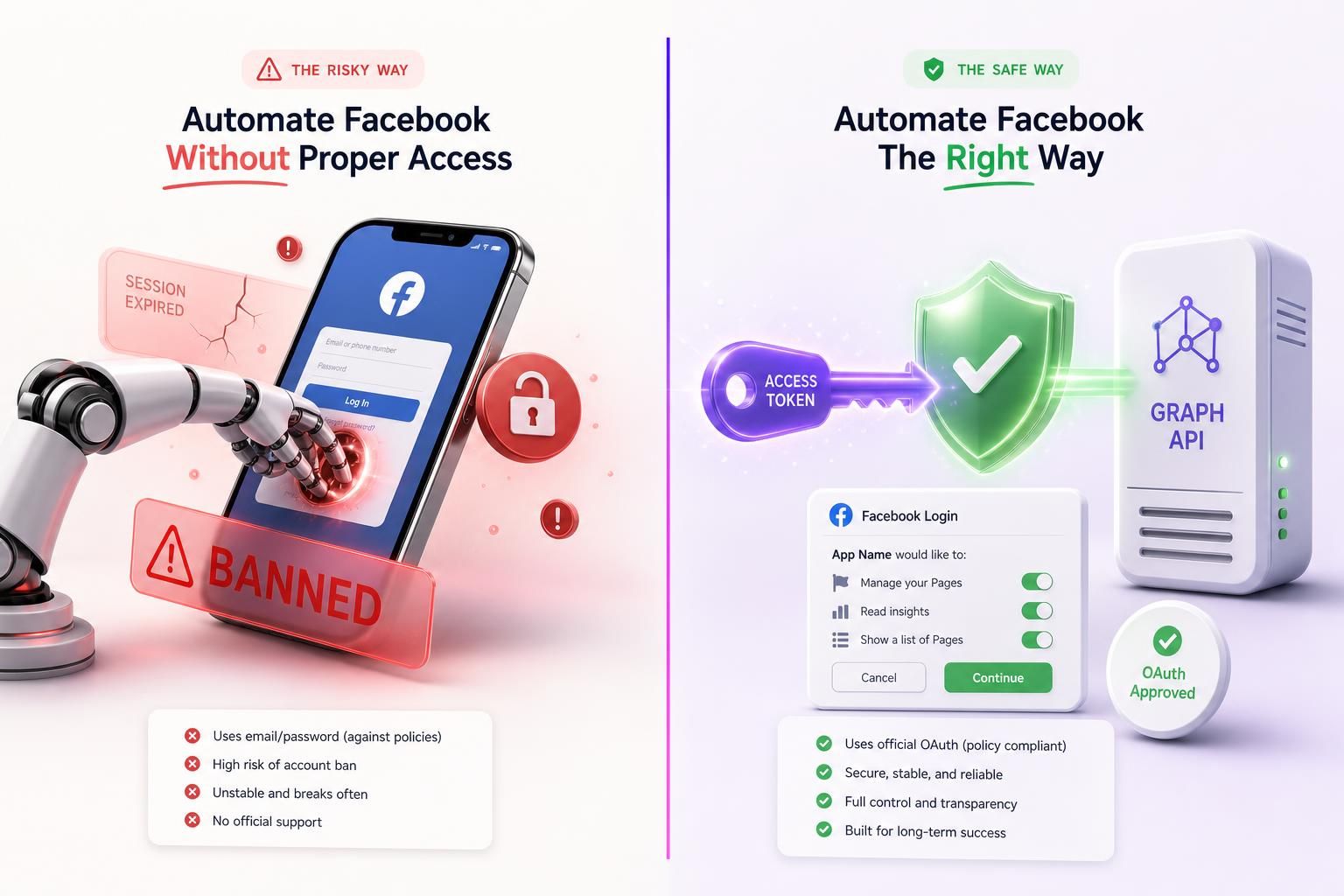
A bot logs into someone's Ads Manager and starts spinning up campaigns. For about a week, it works great. Then the ad account freezes, the Business Manager gets disabled, and the pixel and audiences sitting behind it disappear the same afternoon. You can find some version of this story on Reddit almost any week. What changed recently is the tooling: instead of hand-built scripts, people now point AI "browser agents" at a logged-in Ads Manager and hit the same wall, only faster.
The part most of these stories skip is simple. Automation was never the problem; the method is. A bot clicking around your logged-in Ads Manager is the method that loses accounts. Those same campaigns, created through Facebook's Marketing API on a connection you authorized yourself, are something Meta actively supports. Its own Terms cover both cases, and they sit on opposite sides of the line.
None of this is hypothetical. Spend ten minutes in any advertising forum and the same arc keeps showing up: the automation runs, things look great for a bit, and then the account is simply gone.
The Graveyard of Automated Ad Accounts
A handful of cases, in the advertisers' own words:
- Ad account restricted, one week later: a media buyer fired automated events at Facebook through a tool, and within a week of launching campaigns the ad account was restricted for what Meta called activity that "mimics human actions." (Make community forum, 2024)
- The flag names the cause: advertisers describe a rejection that points straight at automation: "It looks like this account was created or used with an automation that doesn't follow our rules." Whole waves of ad accounts hit it at once. (BlackHatWorld, 2024)
- A "$10k BM" gone overnight: operators report entire Business Managers disabled in single enforcement sweeps, taking every ad account, pixel, and audience inside them with no warning. (BlackHatWorld, 2025)
- Aged accounts and proxies did not save them: operators running accounts 3 to 5 years old, behind residential proxies and antidetect browsers, reported bans within minutes of automated activity in 2025, often before they could spend a dollar. The "warm up the account" advice has quietly stopped working.
- The biggest tool gave up: Jarvee, for years the most popular Facebook and Instagram automation suite, shut down entirely. Meta's detection made the whole approach untenable.
And this is not some neglected corner of enforcement. Meta catches the large majority of fake and inauthentic accounts on its own, before anyone reports them, and disables them at a scale of hundreds of millions a quarter. Plenty of advertisers say the suspensions have only gotten more aggressive over the past year. Whatever your automation does on your ad account, it does it in front of that system, every single time it logs in.
Two Ways to Automate Facebook (Only One Survives)
Almost every "Facebook automation" tool falls into one of two camps, and the difference is the whole ballgame.
Camp 1: Drive the website (browser automation)
A script or agent opens a browser, logs in as you with your password or stored cookies, and clicks through Ads Manager, building campaigns and editing ad sets like a person would. This is Selenium, Puppeteer, and Playwright. Critically, it is also the entire new category of AI browser agents and "browser MCP" servers that drive a real, signed-in session on your behalf. From Meta's side, there is no app, no token, no announcement. There is just a session doing things at a cadence and with a fingerprint that screams "not a human."
Camp 2: Ask through the front door (the official API)
You authorize an app once through Facebook's own login screen, granting a narrow set of permissions like ads_management. From then on, the app talks server to server with Facebook's Marketing API to create your campaigns, ad sets, and ads. No browser is puppeteered. Your password is never shared. Meta knows exactly which approved app is acting and what it is allowed to do, because it reviewed and scoped that app.
That gap is the whole story. To Meta, Camp 1 is indistinguishable from someone who stole your login. Camp 2 is plainly what it claims to be: an integration you approved. Meta treats each one exactly that way.
What Meta's Systems Actually See (Why Browser Bots Are Doomed)
From where you sit, browser automation feels invisible. From Meta's side it is anything but. The moment a bot loads Ads Manager, it is up against a whole stack of signals at once:
Technical fingerprints:
- The webdriver flag: headless Chromium, Playwright, Puppeteer, and Selenium set
navigator.webdriver = trueby default. Stealth plugins try to hide it and usually leave other tells. - Headless rendering tells: software WebGL renderers, missing browser plugins, empty language lists, and absent Chrome APIs give away an automated environment.
- Network-layer fingerprints: the TLS handshake of an automation build differs from real Chrome, so you can be blocked before a single line of page JavaScript runs.
- IP reputation: datacenter and flagged proxy ranges are caught at the edge, and residential proxies add their own geolocation inconsistencies.
Behavioral signals:
- Machine timing: clicks at consistent intervals, instant navigation, no idle browsing, no cursor drift. Real humans are messy; bots are not.
- Velocity: spinning up campaigns, bulk-editing ad sets, or creating a fresh ad account and immediately spending on it faster and more regularly than a person realistically would.
- Liveness checks a bot cannot pass: once flagged, Meta can demand a video selfie or identity checkpoint before it lets you back into the ad account. There are documented cases of real people permanently locked out because they could not get past it. A script has no chance.
There is a purely practical wall on top of the detection one. If your "automation" is a bot clicking through Ads Manager or Business Suite, Facebook deliberately makes its own pages hostile to it. Class names are randomized gibberish like ecm0bbzt that change with every deploy. Any tool built on clicking specific buttons or reading the DOM breaks on a schedule you do not control, usually in the middle of a campaign launch.
Why one flag spreads everywhere:
A flagged browser session looks identical to an account takeover, so Meta does not quietly disable one integration. It locks the whole identity. Enforcement is portfolio-wide: profile, Page, ad account, and Business Manager can all go down from one trigger.
The "Browser MCP" Trap: 2026's Newest Footgun
The newest version of this mistake comes wrapped in AI. You install a "browser MCP" server or one of the agentic browsers, point it at your ad account, and tell it to "just launch this campaign for me." Underneath, it is still Camp 1: a robot driving your logged-in session. So it inherits every problem above and brings three more of its own.
Root-level access
Handing an agent control of a browser holding your real session is close to handing it your entire web identity. The same access can read protected cookies, lift tokens, and reach anything you are logged into, not just Facebook.
Prompt injection
Security researchers have shown a malicious web page can hijack an agentic browser and make it exfiltrate data. An agent loose in your session could be steered into launching campaigns, moving budgets, or changing ad-account settings as you, without you knowing.
Still against the rules
Meta's Terms prohibit accessing its products through automated means without permission, and the 2025 update made clear that being logged in is no excuse. An AI in the driver's seat does not change that.
To be clear, the agent is not the villain here. The trouble is the path: letting it act by impersonating you in a browser. Give it the official API instead, the way every real ad tool connects, and most of this risk simply goes away. We will get to what that looks like for agents shortly.
Want Agent-Speed Without the Ban Risk?
AdMakeAI's Agent Flow lets you research, generate ad creative, and push campaigns to Facebook from one chat. Publishing runs through an authorized, API-based connection to your ad account, never a browser robot logged in as you. You get the speed of automation on the sanctioned path.
The Sanctioned Path: Facebook's Official API
Meta did not leave a gap for bots to fill. It built a full set of APIs precisely so software can create and manage ads without ever touching the website:
| Official API | What it does | Example permission |
|---|---|---|
| Marketing API | Create and manage campaigns, ad sets, ads, and creatives | ads_management |
| Business Management API | Manage ad accounts and assets, act on behalf of clients | business_management |
| Pages API | Manage the Page your ads run from, publish and schedule posts | pages_manage_posts |
| Instagram Content Publishing | Publish posts and Reels to a professional IG account | instagram_content_publish |
Why is this safe when a browser bot is not? Because of how the access works. To use these APIs for real, an app goes through Meta's App Review, the developer is business-verified, and the user grants scoped permissions through Facebook's own OAuth screen. What the app holds is a token, not your password.
A token is the opposite of a session cookie in every way that counts. It carries only the permissions you approved, it is tied to an app Meta reviewed, and it is rate limited and logged. You can kill it in one click from your Facebook settings without so much as touching your password. Lose a token and it expires into uselessness. Lose a session and you have lost the whole account.
How every serious ad tool actually connects:
Meta ad-management platforms like Revealbot, Madgicx, and Smartly are Meta Business Partners built on the Marketing API. They connect through Meta's OAuth and manage your campaigns via the API, and Meta's own Ads Manager is the first-party version of the same thing. Not one of them drives a browser logged in as you, because the companies that depend on Meta access cannot afford to.
An honest caveat:
The API is the sanctioned path, not a magic shield. Blasting spam volume through the API on a cold, unverified account can still trip Meta's behavior detectors. The accounts that get nuked cluster around three things: browser bots, fake or mass-created accounts, and spammy velocity. A reviewed app publishing your own creatives into your own established campaigns at human scale is the low-risk profile, and it is the one you want.
The Real Cost of Getting This Wrong
People underrate this because they picture losing "an account." What you actually lose is the entire compounding asset you have been building.
When a Business Manager or ad account is disabled, the campaigns freeze immediately, and the things that took months to build go with it: the pixel and its training data, your custom and lookalike audiences, your learning-phase progress, your ad history, and any Pages inside that Business Manager. Rebuilding a trained pixel from zero is commonly a 3 to 6 month grind at worse cost-per-result the whole way.
And the appeal process is mostly a wall:
- The first response to an appeal is almost always an automated rejection, not a human review.
- A disabled ad account is permanently deleted after 180 days. That is a hard delete, not an archive.
- Reaching a real person is difficult even for paid Meta Verified subscribers, and false positives sweep up legitimate businesses too.
Prevention is not just cheaper than the cure. For a lot of people, there is no cure. That is the real argument for staying on the sanctioned path from day one.
How AdMakeAI Publishes to Facebook (The Safe Pattern, Built In)
We built AdMakeAI's Facebook integration on the Camp 2 path on purpose, because we are not interested in torching our customers' ad accounts. Here is exactly how it works:
- You authorize, on Facebook's screen. Connecting sends you through a standard OAuth login where you grant specific permissions to your ad account. AdMakeAI never sees or stores your Facebook password.
- We hold a scoped connection, not your credentials. What gets stored is an authorized, revocable connection to the accounts you chose. You can disconnect it anytime from your Facebook settings or from your dashboard.
- Publishing is server to server. Your generated creatives go into your existing campaigns and ad sets through Facebook's official API. No browser is ever driven as you. No bot types into facebook.com.
On top of that connection sits Agent Flow, a chat where an AI helper researches angles, generates ad variations, and, when you approve, pushes a campaign live. You get the speed of an agent doing the busywork, on the publish path Meta actually sanctions.
For developers: an MCP that is not a browser MCP
If you are wiring up AI agents, this is the distinction that matters. AdMakeAI exposes an MCP server and REST API so agents in Claude, Cursor, and similar clients can generate ads and publish to Facebook. The gap between that and a "browser MCP" is night and day:
A browser MCP
- xHands the agent your logged-in browser
- xActs with full, unscoped account access
- xLooks like a bot to Meta's detectors
- xBreaks every time the UI changes
AdMakeAI's MCP
- +Exposes safe, server-side tools, not your browser
- +Publishes through the official API connection
- +Requires your confirmation before anything goes live
- +Reads as an authorized integration, because it is one
The agent gets exactly the end result it was after, with a completely different risk profile. It reaches Facebook through a front door Meta recognizes, instead of climbing through a window with your live session in its hands.
Frequently Asked Questions
Will I get banned for automating my ads with Zapier, Make, or n8n?
Those tools generally use Facebook's official API, which is the right path. The risk comes from how you use it: high velocity, rapid ad-account or campaign changes, or running it on a brand-new or unverified ad account can still trip Meta's behavior detection, and several advertisers have reported restrictions even through API-based automation. Keep volume human, run it on your real verified ad account, and you are in far better shape than anyone driving a browser.
Is it safe to let an AI "browser agent" run my ad account?
No. A browser agent drives your logged-in session, which means full unscoped access to your ad account, behavior that reads as a bot, and a direct conflict with Meta's Terms, which prohibit automated access whether or not you are logged in. It also opens you to prompt injection, where a malicious page can redirect the agent. If you want an agent involved, give it tools that manage campaigns through the official API, not the keys to your browser.
What is the difference between a "browser MCP" and AdMakeAI's MCP?
A browser MCP automates clicks in your real browser session. It is Camp 1 with an AI wrapper. AdMakeAI's MCP exposes server-side tools that generate ads and publish through an authorized, API-based Facebook connection, with a confirmation step before anything goes live on Meta. One impersonates you; the other acts as a recognized integration.
My ad account already got flagged. Can I get it back?
Sometimes, but the odds are not friendly. First appeals are usually automated rejections, human review is hard to reach, and disabled ad accounts are permanently deleted after 180 days. Submit the appeal, be precise and calm, and verify your identity if asked. Then assume you may be rebuilding, and switch to the sanctioned path so it does not happen again. We wrote a full recovery guide for exactly this situation: what the automation flag means and how to get your account back, including the 30-day review deadline most people miss.
Does the official API guarantee I will never get banned?
No method guarantees that. The official API is the only sanctioned way to automate, and it dramatically lowers your risk, but you still need compliant creative, sane campaign volume, and a real verified ad account. The goal is to remove the obvious triggers, and "a bot is driving my ad account" is the most obvious trigger of them all.
Automate Facebook the Way Meta Actually Allows
Generate ad creative, then publish into your existing campaigns through an authorized, API-based connection to your ad account. No browser bots, no shared passwords, no betting your Business Manager on a script. Just the sanctioned path, with an AI doing the heavy lifting.
Connect your Facebook ad account with a permission-based login you can revoke anytime
Related Resources
What Is Facebook Ads Manager?
The no-jargon tour of where your campaigns actually live
Meta Ad Library Scraping & Terms of Service
What is actually allowed when you pull data from Meta
How to Boost a Facebook Post (And Why You Probably Shouldn't)
The cost gap between Boost and Ads Manager, explained
Vibe Marketing for Meta Ads
The chat-to-draft-campaign workflow, and what stays human
Agent Flow
Research, generate, and publish ads from one AI chat
Ready to Create Winning Ads?
Join marketers using AI to research competitors and create high-converting ads