Why Does Meta Say 'No Ads'? What It Means in Ads Manager and How to Fix It (2026)
Seeing 'No Ads' or 'Not Delivering' on your Facebook campaign? Here's what each status means in Meta Ads Manager, the real reasons your ads stopped running, and the exact 60-second checklist to get delivery back.
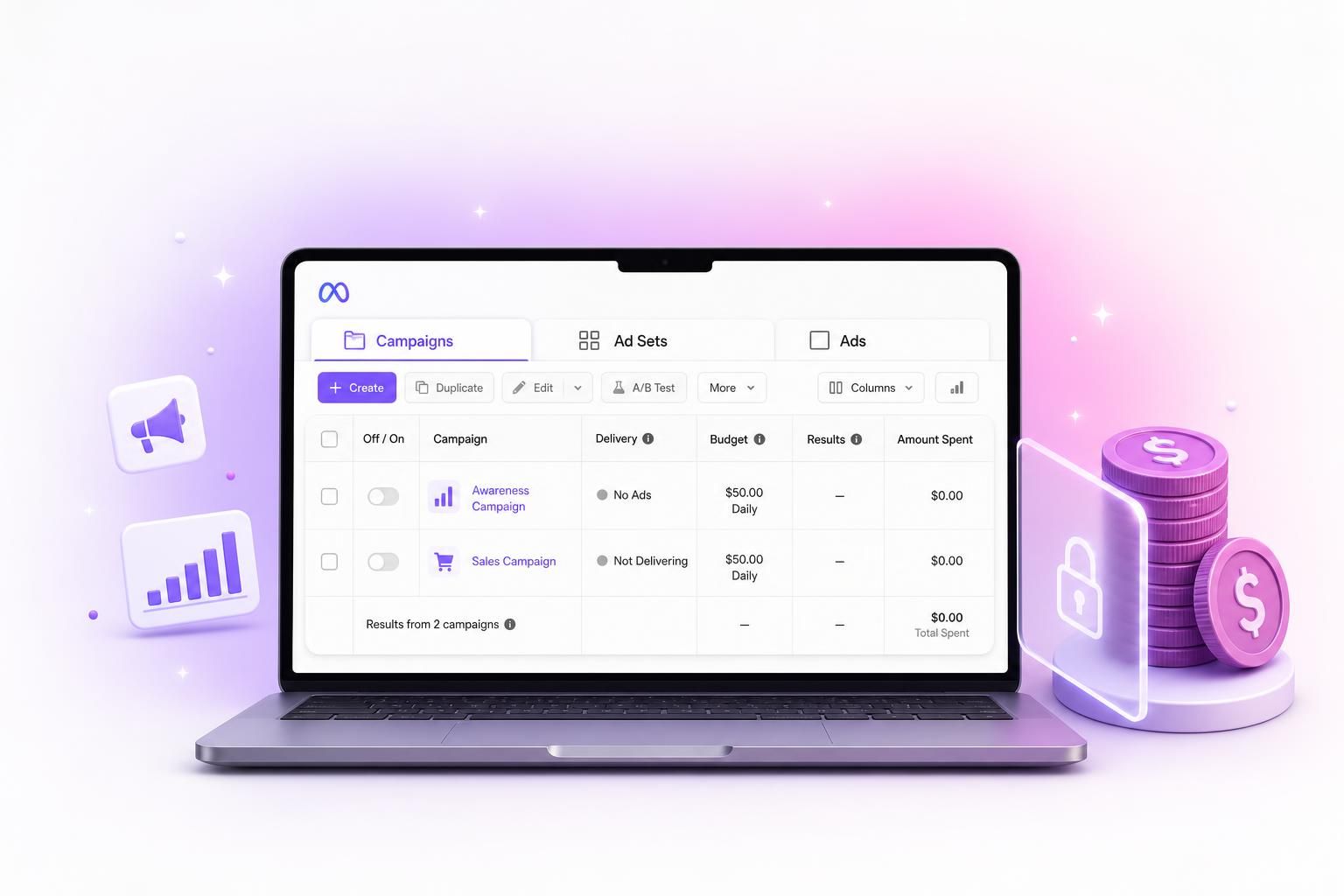
You open Ads Manager, look at a campaign you are fairly sure is live, and find "No Ads" or "Not Delivering" sitting in the delivery column. The budget is set, the creative looks fine, and nothing is going out. It is one of the most common and most frustrating things Meta shows advertisers, partly because those two messages look similar but mean completely different things. Here is what each one is telling you, the real reasons your campaign stopped, and how to get it running again.
The single most useful habit before you change anything: read the exact delivery status first. Each status points to a specific cause, and reacting to the wrong one, especially editing an ad while it is still in review, usually makes things slower, not faster. So we will go status by status.
One note up front so this stays focused: this guide is about your own campaigns inside Meta Ads Manager and Business Suite. It is the situation where your money is not going out and you want it to. Let us fix that.
First, "No Ads" and "Not Delivering" are not the same thing
This single distinction resolves a surprising amount of confusion. Meta uses both phrases, and people treat them as one alarm. They are two different problems.
"No Ads" shows up on a campaign or ad set when there is literally no published ad inside it. The container is on and maybe even funded, but it is empty. This usually means the ads were deleted, were rejected and never replaced, or the ad set was duplicated from a template without any creative in it. The fix is exactly what it sounds like: open the ad set and add an ad.
"Not Delivering" is the one that actually burns budget windows. The ad exists, it is switched on, and Meta still is not serving it. Something is blocking delivery, and Meta almost always prints the reason in smaller text right under the status. The rest of this guide is the list of blocks, roughly in the order they catch people.
The status cheat sheet
Before the deep dive, here is what every delivery status is telling you. Read the status first, because it narrows the problem before you touch anything.
| Status | What it actually means | First move |
|---|---|---|
| No Ads | Empty campaign or ad set, no published ad inside | Add an ad and publish |
| Not Delivering | An ad exists but something is stopping it from serving | Read the reason printed under the status |
| In Review | Meta is checking the ad against policy, normal for new or edited ads | Wait, usually under 24h. Do not edit, it resets the clock |
| Rejected | The ad broke a policy and will not run until changed | Open Account Quality, fix the flagged thing, resubmit |
| Scheduled | Approved, but the start date is in the future | Nothing, or pull the start date forward |
| Completed | The scheduled end date already passed | Extend the schedule or duplicate the ad set |
| Off / In Draft | Paused at this level, or created and never published | Toggle it on, or finish the publish step |
| Learning Limited | Running, but cannot gather enough data to optimize well | Consolidate ad sets, widen audience, raise budget |
| Error / Payment | A billing or configuration problem is blocking everything | Fix the payment method, clear any unpaid balance |
Reason 1: the on/off switch above your ad
This is the most common false alarm by a wide margin. Meta has three stacked on/off toggles: campaign, then ad set, then the individual ad. The ad row can read "Active" with a cheerful green dot while the campaign above it is switched off, and nothing serves. The delivery column does tell you, but it says it in small grey text like "Campaign off" that is genuinely easy to scroll past when you are looking at the ad itself.
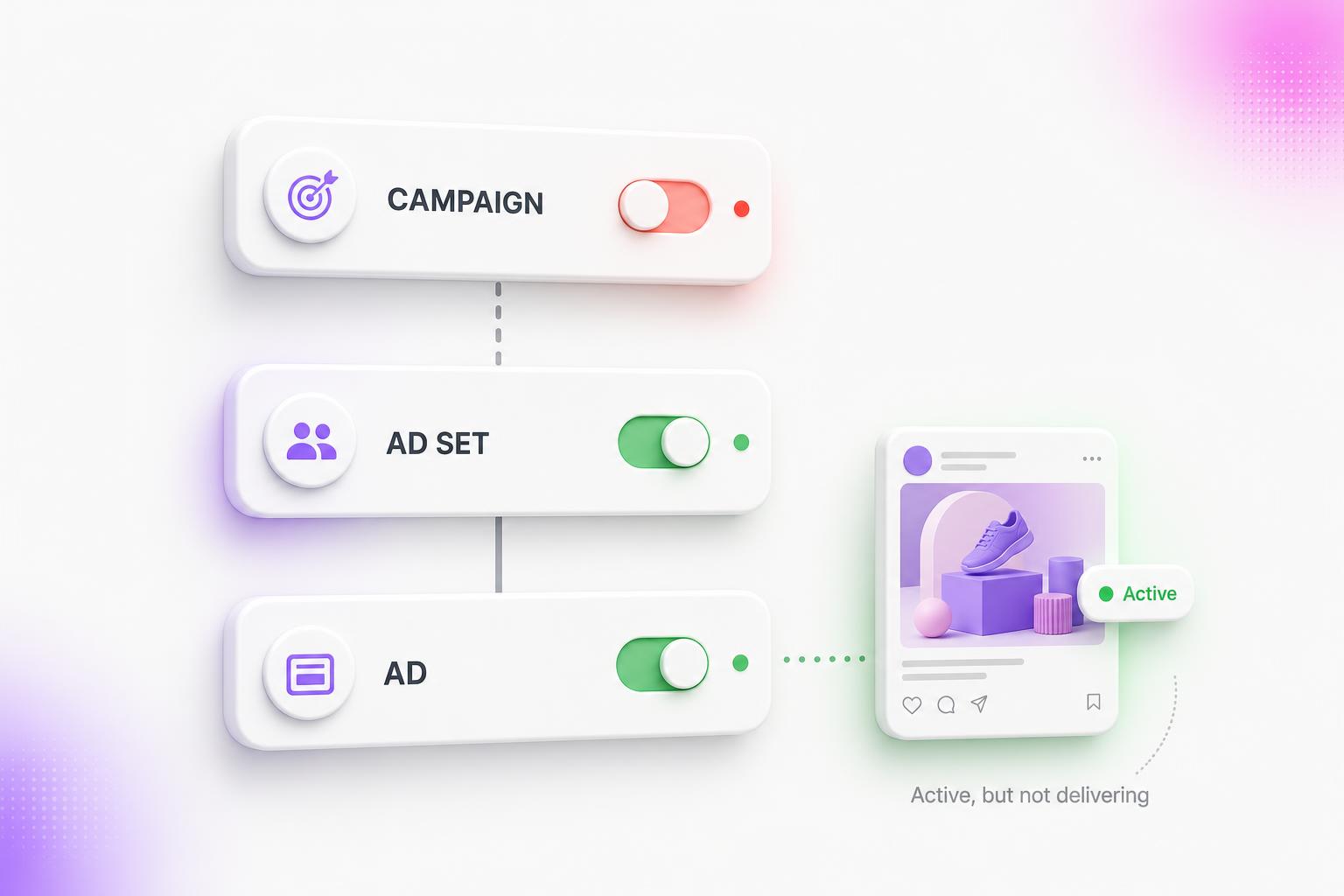
The classic version: you pause a campaign to make an edit, flip the individual ad back on out of habit, and forget the campaign is still off. Always check all three levels before you assume something is broken. It takes ten seconds and resolves a surprising share of "my ads stopped" panics.
Reason 2: it is in review, stuck in review, or quietly rejected
Every new or edited ad goes through review, and during that window it serves nothing. For an established account this is usually a couple of hours. It drags out when your account has a history of violations, when the creative touches a sensitive category like health or finance, or during the Q4 crush when everyone is launching at once. One trap worth repeating: editing an ad while it is in review restarts the entire timer, so resist the urge to tweak.
If the status flips to "Rejected", the ad broke a policy. The reason lives in Account Quality, often with a policy code. The frequent offenders are personal attributes (copy that implies something about the viewer, like "struggling with anxiety?"), misleading or before-and-after claims, restricted products, and a landing page that does not match the ad. Fix the specific thing and resubmit, rather than duplicating the ad and hoping.
Reason 3: the billing and account wall
Money problems stop delivery instantly and without much ceremony. Run down this list:
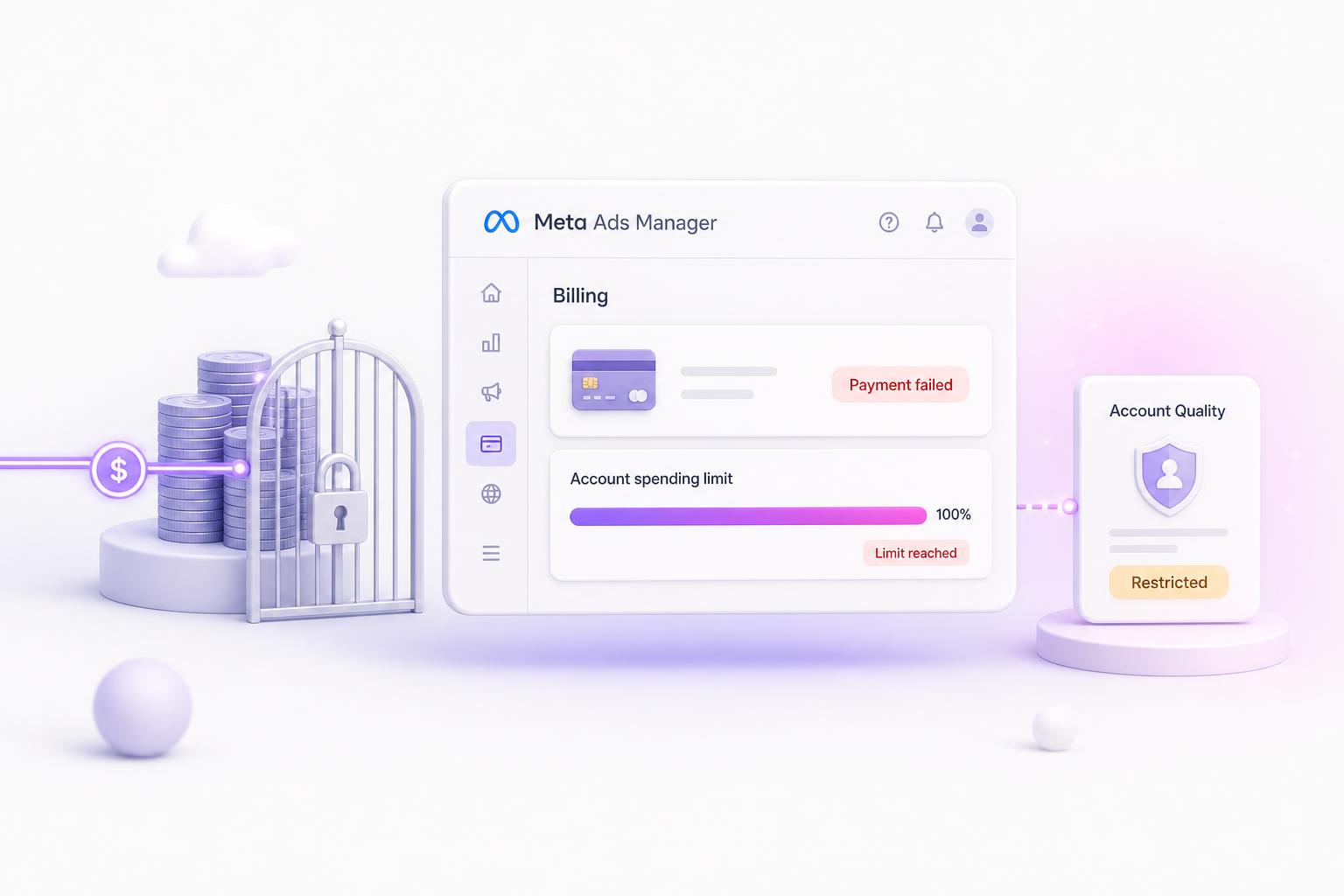
- Account spending limit reached. This is an account-wide cap that is separate from your campaign budgets, and it is the one people forget they ever set. When you hit it, every campaign in the account stops at once, mid-month, no matter how much daily budget is left. It lives in Billing settings.
- Payment method declined or an unpaid balance. A failed charge pauses delivery until you clear it with Pay Now. First charges on a new card get flagged by banks more often than you would expect.
- New-account spending governor. Brand-new ad accounts are quietly capped by Meta at a low daily spend until they build payment history. The status looks fine, the spend just refuses to climb to where you set it.
- The account is restricted or disabled. The serious one. If Account Quality shows a restriction, the account itself, not the ad, is the blocker.
If the account itself got disabled:
This is its own ordeal. The first appeal is almost always an automated rejection, a disabled ad account is permanently deleted after 180 days, and Meta sweeps up plenty of legitimate businesses by mistake. We wrote a full breakdown of why accounts get nuked and how to lower the odds in why automating Facebook ads gets you banned.
Reason 4: "Active" but still spending nothing
The quietest delivery killers are the ones where the status still reads Active and the spend just sits at zero. There is no obvious red flag, so these are the ones people stare at the longest.
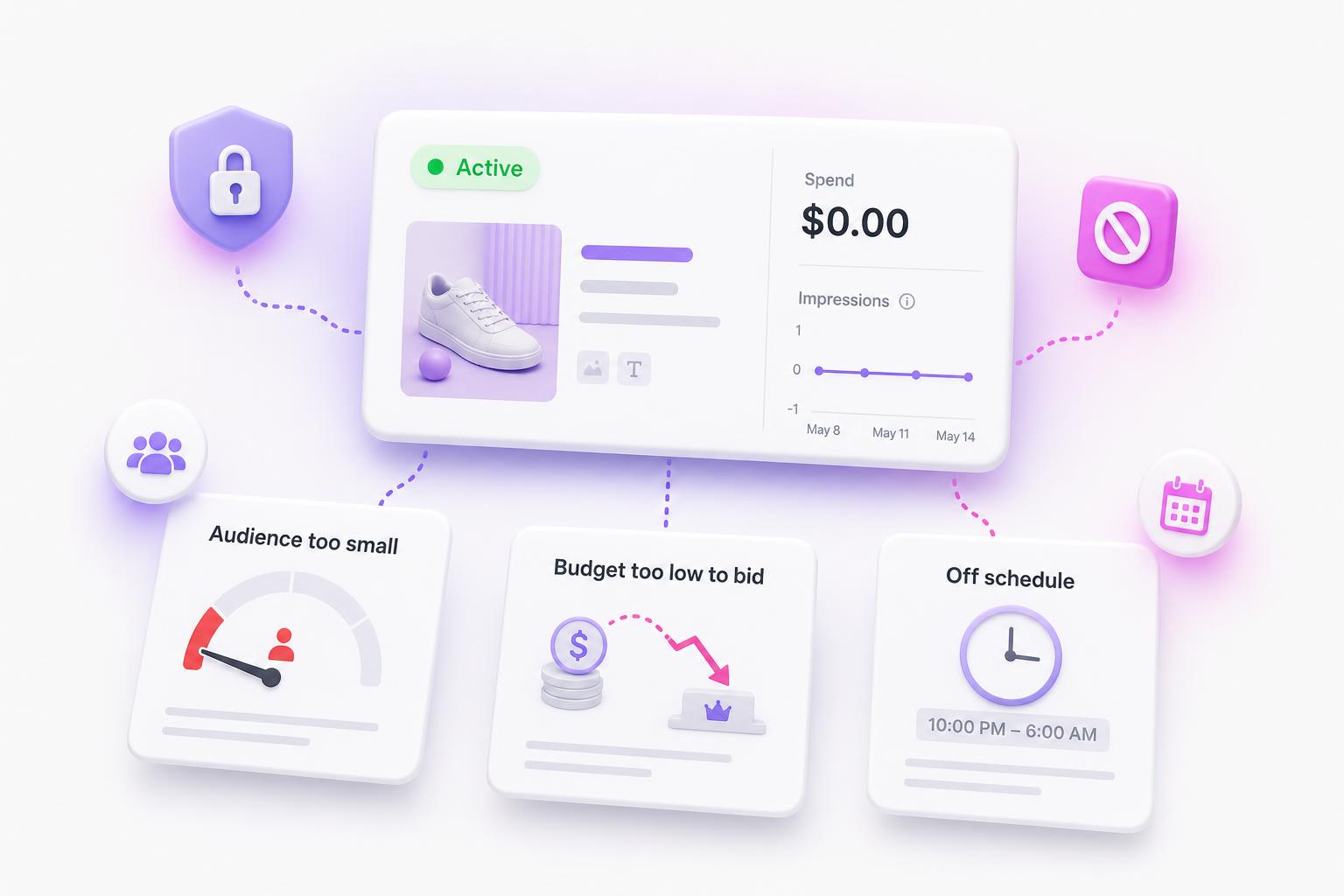
Audience too small
If the audience gauge is in the red, or your exclusions have eaten almost everyone, there is no one left to serve. Custom audiences built from tiny or stale lists do the same thing.
Budget too thin to bid
In competitive niches, a dollar or two a day cannot win impressions against deeper-pocketed bidders. The ad is live and simply loses every auction, so spend stays near zero.
Ad sets fighting each other
Several ad sets aimed at the same people compete in the same auction. Meta picks one and starves the rest, so some show Active with almost no delivery. Check the audience overlap tool.
Schedule and timezone
A future start date, an end date that already passed, or dayparting set to hours you are not currently in. Account timezone versus your local time trips this up constantly.
The mental model that saves time here: Active means eligible, not delivering. Meta is allowed to serve the ad, but the auction math, the audience, or the schedule is keeping it from actually winning impressions. Widen the audience, raise the budget, or loosen the bid, and watch whether spend starts moving.
The 60-second delivery checklist
When delivery is zero and you want to find the block fast, go in this order. It is sorted so the most common and most catastrophic causes come first.
- Open Account Quality. Is the account restricted or disabled?
- Check Billing for a declined payment, unpaid balance, or a hit account spending limit.
- Confirm all three toggles are on: campaign, ad set, and ad.
- Read the status: Rejected, In Review, In Draft, Completed, or Scheduled each point to a specific fix.
- Check the schedule: start date in the past, end date in the future, correct timezone.
- Look at the audience gauge. Not red, not excluded into a corner.
- Make sure the budget is at least several times your target cost per result.
Delivery fixed, but the creative still flops?
Plenty of times, "my ads are not working" survives the whole checklist because the real problem is the creative, not the plumbing. AdMakeAI generates fresh ad variations from your product in seconds, so you can feed the algorithm something new instead of nursing one tired ad back to life.
Why a healthy account can go dark all at once
Most "no ads" situations are one stalled campaign. But two things about how Meta runs in 2026 can make an entire account stop serving at the same time, and they are worth knowing so you do not waste an afternoon on the wrong fix.
Stricter enforcement. Meta disables fake and rule-breaking accounts at a scale of hundreds of millions per quarter, and legitimate advertisers keep getting swept up in it. If every campaign stops together, with no edits from you, a restriction or disablement is a real possibility, not just a paused campaign. Check Account Quality before you touch anything else, and read how Meta enforcement actually works if that is what you are facing.
Creative-led delivery. Meta's newer delivery system leans heavily on the ad creative itself to decide who sees it. Thin creative, a tiny audience, or a budget too small to gather data lands you in "Learning Limited," where the ad technically runs but barely spends. The fix is usually consolidating ad sets and shipping more creative, not adding more targeting. The learning phase guide breaks down the math.
Frequently Asked Questions
What is the difference between "No Ads" and "Not Delivering"?
"No Ads" means the campaign or ad set is empty, there is no published ad inside it to run. "Not Delivering" means an ad does exist but something is blocking it: budget, audience, schedule, billing, or review. The first needs you to add an ad. The second needs you to find and clear the block, which Meta usually names in small text under the status.
My ad says Active but has zero impressions. Why?
Active means eligible, not delivering. The usual culprits are a budget too small to win auctions, a manual bid cap set below market, an audience that is too narrow or heavily excluded, ad sets competing against each other, or a daily budget already spent. Widen the audience, raise the budget, or loosen the bid and watch whether spend starts moving.
How long does Meta ad review take, and why is mine stuck?
For an established account it is usually a couple of hours, and Meta officially says within 24 hours. It stretches longer for new accounts, sensitive categories like health or finance, flagged landing pages, or during the Q4 rush. The most common self-inflicted delay is editing the ad while it is in review, which restarts the whole timer. Leave it alone once it is submitted.
My whole account shows no ads and I did not pause anything. Is it disabled?
Check Account Quality first. If the account is restricted or disabled, that is the cause and it overrides everything else. If the account looks healthy, work back through the delivery checklist: the three toggles, billing and the account spending limit, review status, and schedule. A disabled account is a very different situation from a single stalled campaign.
Why did my ads stop delivering right after I edited them?
Editing an ad sends it back into review, so it will not serve until it is re-approved. A bigger edit, like changing the creative, budget by a large amount, or targeting, can also reset the learning phase, which makes delivery unstable for a while. Bundle your changes, make them once, and avoid poking a campaign that is finally running well.
Why does my Page show "not currently running ads" when Ads Manager says Active?
The public view of your Page updates on a lag and counts an ad as running only while it is actually being shown to people right now. A brand-new ad, one that spent its daily budget, or one still indexing can be fully Active in your account and not yet reflected publicly. Confirm impressions are accruing in Ads Manager and give it a few hours.
Get It Running, Then Give It Something Worth Running
Once delivery is unblocked, the ad still has to perform. AdMakeAI turns your product into fresh, on-brand ad creative in seconds, so you can replace a tired ad instead of nursing it back to life.
No credit card needed to start
Related Resources
What Is Facebook Ads Manager?
The no-jargon tour of where every status and toggle actually lives
The Facebook Ads Learning Phase, Explained
What "Learning Limited" means and how to get past it
Why Automating Facebook Ads Gets You Banned
When a whole account goes dark because it was disabled, not paused
Create an Ad
Generate fresh, on-brand ad creative in seconds with AI
Ready to Create Winning Ads?
Join marketers using AI to research competitors and create high-converting ads