How to Install the Meta Pixel in Nuxt 3 and Nuxt 4 (2026 Guide)
Add the Meta Pixel to Nuxt with a client-only plugin: runtimeConfig setup, router.afterEach pageview tracking, a useMetaPixel composable, SSR gotchas, and how to confirm events in Test Events.
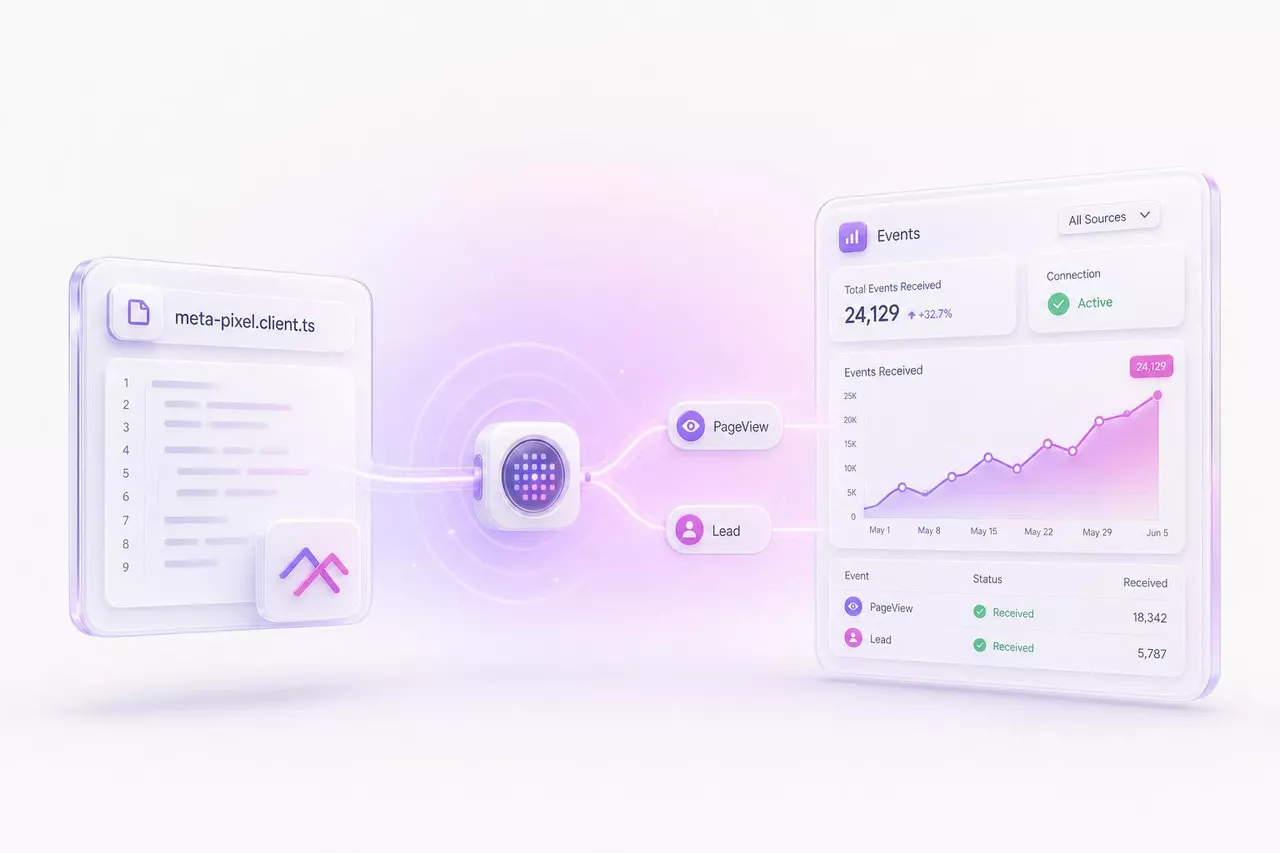
The Meta Pixel is a browser script, and Nuxt renders your pages on the server first, where there is no window and nowhere for fbevents.js to run. That mismatch is behind almost every pixel problem people hit in Nuxt, and it reduces the whole install to one rule: only run the pixel on the client. A single .client.ts plugin plus a small composable covers everything. You do not need a module for this. Community pixel modules exist, but they tend to lag a major version behind Nuxt, and the code they wrap is short enough to own yourself.
Bottom line: put your pixel ID in runtimeConfig.public, load the pixel from a plugins/meta-pixel.client.ts plugin that tracks route changes with router.afterEach, then confirm events in the Test Events tab of Events Manager. That is the whole install, and it works unchanged in Nuxt 3 and Nuxt 4.
Pixel ID into runtimeConfig
Grab your pixel ID first. Open Events Manager at business.facebook.com/events_manager2, click Data sources in the left sidebar, and select your pixel (Meta now files it under datasets). The ID is the 15-16 digit number under the name.
Hardcoding that number works until the day you want a separate pixel for staging, so wire it through runtimeConfig from the start.
.env
NUXT_PUBLIC_META_PIXEL_ID=1234567890
nuxt.config.ts
export default defineNuxtConfig({
  runtimeConfig: {
    public: {
      metaPixelId: "", // overridden by NUXT_PUBLIC_META_PIXEL_ID
    },
  },
});
The empty string is not a placeholder you fill in later. It declares the key and its type, and Nuxt overrides it at runtime with any environment variable matching the NUXT_PUBLIC_ prefix plus the screaming-snake version of the key, so NUXT_PUBLIC_META_PIXEL_ID maps onto runtimeConfig.public.metaPixelId. Keys under public are exposed to the browser, which is fine here. A pixel ID is not a secret, it ships in the page source of every site that runs the pixel.
The client-only plugin
Create the file below. Nuxt auto-registers everything in plugins/, so there is nothing to import anywhere else. This one file loads the pixel, fires the first PageView, and tracks every client-side navigation after it.
plugins/meta-pixel.client.ts
declare global {
  interface Window {
    fbq: (...args: unknown[]) => void;
    _fbq?: unknown;
  }
}

export default defineNuxtPlugin(() => {
  const { metaPixelId } = useRuntimeConfig().public;
  if (!metaPixelId) return;

  /* Meta base code, adapted from the official snippet */
  !(function (f: any, b: Document, e: string, v: string) {
    if (f.fbq) return;
    const n: any = (f.fbq = function () {
      n.callMethod ? n.callMethod.apply(n, arguments) : n.queue.push(arguments);
    });
    if (!f._fbq) f._fbq = n;
    n.push = n;
    n.loaded = true;
    n.version = "2.0";
    n.queue = [];
    const t = b.createElement(e) as HTMLScriptElement;
    t.async = true;
    t.src = v;
    const s = b.getElementsByTagName(e)[0];
    s.parentNode?.insertBefore(t, s);
  })(window, document, "script", "https://connect.facebook.net/en_US/fbevents.js");

  window.fbq("init", String(metaPixelId));
  window.fbq("track", "PageView");

  const router = useRouter();
  let initialNavigation = true;
  router.afterEach(() => {
    if (initialNavigation) {
      initialNavigation = false; // init above already counted the first view
      return;
    }
    window.fbq("track", "PageView");
  });
});
Two details in this file do all the real work, and both are easy to get wrong.
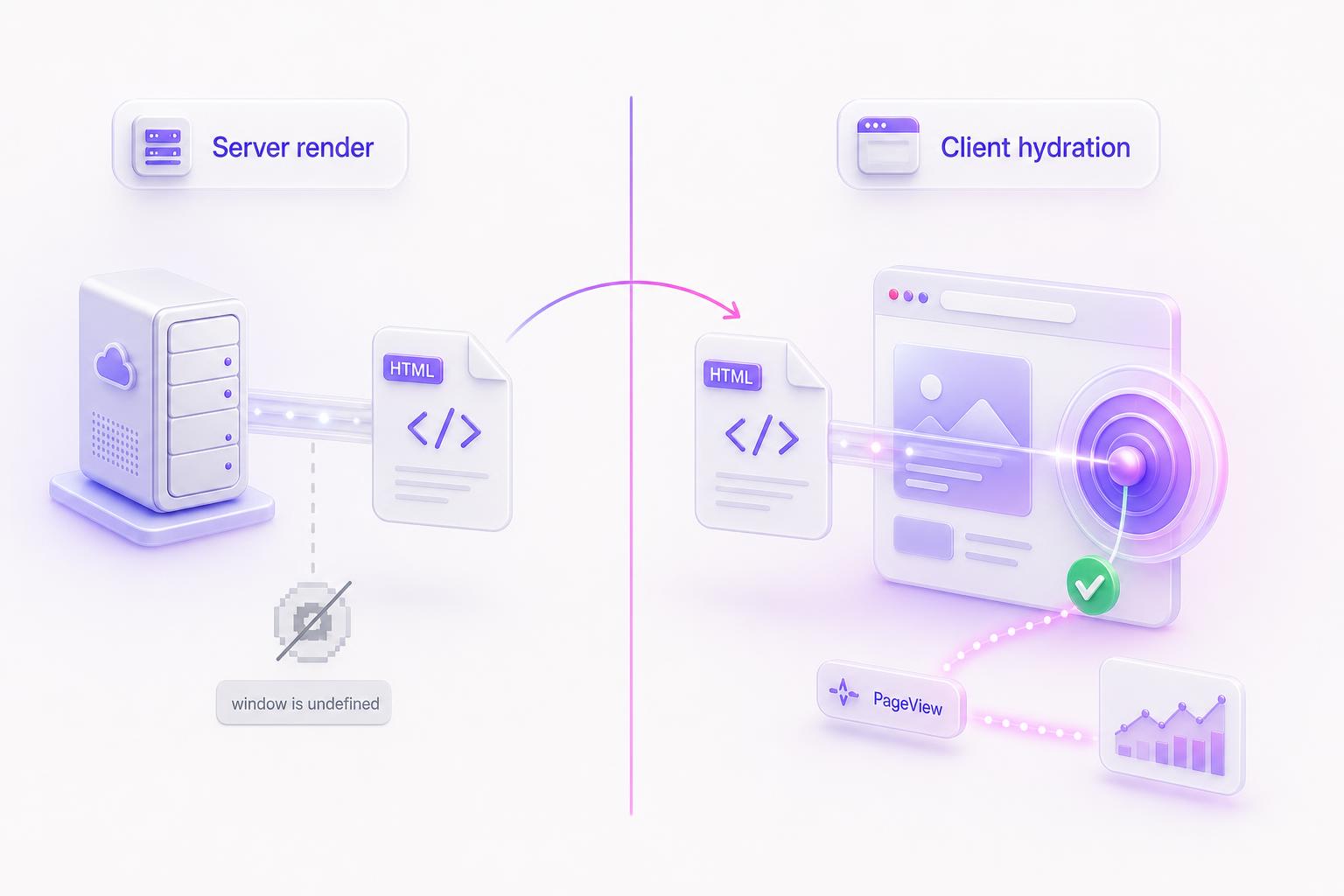
The .client.ts suffix. Nuxt only loads plugins with this suffix in the browser, so window is always defined by the time this code runs. Drop the suffix and the plugin also runs during server-side rendering, where there is no window, and the first request crashes. The suffix is the entire SSR strategy. No guard clauses needed inside the plugin itself.
The initialNavigation flag. After hydration Nuxt behaves like an SPA: navigations swap components without a full page load, so fbevents.js never reloads and the pixel only ever sees the first page on its own. router.afterEach fixes that by sending a PageView on every route change. The catch is that afterEach also fires once for the initial navigation during hydration, and the fbq("track", "PageView") right after init already counted that view. Without the flag, every single landing on your site reports two pageviews, which quietly inflates every metric downstream of them.
Why client-only matters
Keep the render timeline straight and the rest of the install is obvious. The server builds HTML and sends it, with no window and no fbq anywhere in that pass. The browser then hydrates the Vue app, Nuxt runs its client plugins, and only at that point does fbevents.js load and start firing. Nothing of value is lost by skipping the server pass, because the pixel measures people in browsers and the server pass had no person in it.
If you ever need a client check inside shared code, use import.meta.client. The older process.client still works but is deprecated, and import.meta.client is the form that behaves the same in Nuxt 3 and Nuxt 4. Everything in this post runs unchanged on both majors.
A composable for conversion events
PageViews are handled. Meta's optimization gets genuinely useful once you send conversion events too, and a small composable keeps the fbq call in one place instead of scattered across components.
composables/useMetaPixel.ts
export function useMetaPixel() {
  function track(name: string, data?: Record<string, unknown>) {
    if (import.meta.client && window.fbq) {
      window.fbq("track", name, data);
    }
  }
  return { track };
}
Because it lives in composables/, Nuxt auto-imports it. Call it from any component:
components/SignupForm.vue (script setup)
const { track } = useMetaPixel();

function onSignup() {
  track("CompleteRegistration");
}

function onCheckout() {
  track("Purchase", { value: 79, currency: "USD" });
}
The import.meta.client guard makes the composable safe to call from code that also executes on the server, and the window.fbq check covers browsers where an ad blocker stopped the script from loading. Both fail silently, which is exactly what you want from analytics code.
Stick to Meta's standard event names where one fits. Standard events feed campaign optimization directly, custom names do not get the same treatment.
| Funnel step | Standard event |
|---|---|
| Viewed a product or pricing page | ViewContent |
| Submitted a contact or demo form | Lead |
| Created an account | CompleteRegistration |
| Started a free trial | StartTrial |
| Completed a paid checkout | Purchase |
Verify it fires
Install Meta Ads Data Advisor (the Chrome extension formerly called Meta Pixel Helper) and load your site. Its side panel lists your pixel ID along with every event it caught on the current page. That confirms the script loaded and the ID resolved. If something looks off, here is what each warning means.
For the event stream itself, open Events Manager, select your pixel, and switch to the Test Events tab. It shows events in real time as you browse your site in another tab. The aggregate charts on the Overview tab lag by roughly 20 minutes, so do not read anything into Overview staying flat while you test.
Now click through a handful of pages. You want exactly one PageView per page you visit. Two PageViews on the first load means the afterEach flag from the plugin section is missing or broken.
Once tracking is in, the bottleneck moves to creative.
The pixel tells you which ads convert. Someone still has to make the ads. AdMakeAI generates ad image variations from your product in about 30 seconds, so you can feed Meta fresh creatives as fast as the pixel reports back.
Common problems
The first page counts twice
Covered above, but it is the number one symptom people report: router.afterEach runs for the initial navigation during hydration, on top of the PageView sent right after init. Keep the initialNavigation flag and the duplicate disappears.
The pixel never loads
Two usual causes. Either the plugin file is missing the .client suffix, or metaPixelId resolves to an empty string and the plugin returns early because the env var name does not match the runtimeConfig key. The mapping is exact: metaPixelId only picks up NUXT_PUBLIC_META_PIXEL_ID, not META_PIXEL_ID or any other spelling. Also restart the dev server after adding env vars, since it reads .env at startup.
Ad blockers eat a chunk of events
Browsers with content blockers strip fbevents.js entirely, and losing 20-30% of browser events to that is a typical range depending on your audience. Nothing in your Nuxt code can fix it. The remedy on Meta's side is the Conversions API, which sends events server to server, and Nitro server routes are a natural home for those calls since they already run on your backend. Treat it as a follow-up project, not part of the initial install.
Statically generated sites
A site built with nuxi generate works identically, since the pixel runs in the browser and never needed the server anyway. Just make sure the env var is present at build time, because public runtime config values are baked into the generated output.
EU consent
If you serve EU visitors behind a consent banner, call fbq("consent", "revoke") before the init call in the plugin, then fbq("consent", "grant") from your banner's accept handler. The pixel queues quietly until consent arrives instead of firing on landing.
Frequently Asked Questions
plugins/ directory with the .client suffix, runtimeConfig, auto-imported composables, and import.meta.client, behaves identically across both majors. Nothing in this setup touches an API that changed in Nuxt 4.The pixel measures your ads. It does not make them.
AdMakeAI turns your product into Meta-ready ad images in about 30 seconds, so the events you just wired up have something worth measuring. Free credits, no credit card.
Related guides
Install the Meta Pixel in React
The same client-only thinking applied to a React SPA, with route tracking and a reusable tracking hook.
Install the Meta Pixel in Next.js
The React-side equivalent of this guide, covering both App Router and Pages Router setups.
Install the Meta Pixel in Plain HTML
The base snippet install for static sites and landing pages, no framework involved.
How to Connect Claude to Meta Ads
Once tracking works, wire an AI assistant into your ad workflow the safe way, over the official API.
Make your next ad from what already runs
Research what competitors are running, then generate your own on-brand ads in minutes.