How to Install the Meta Pixel in Next.js (App Router + Pages Router, 2026)
Step-by-step Meta Pixel setup for Next.js 13-15 with next/script: the base code, route change tracking for both App Router and Pages Router, standard events, and how to verify the pixel actually fires.
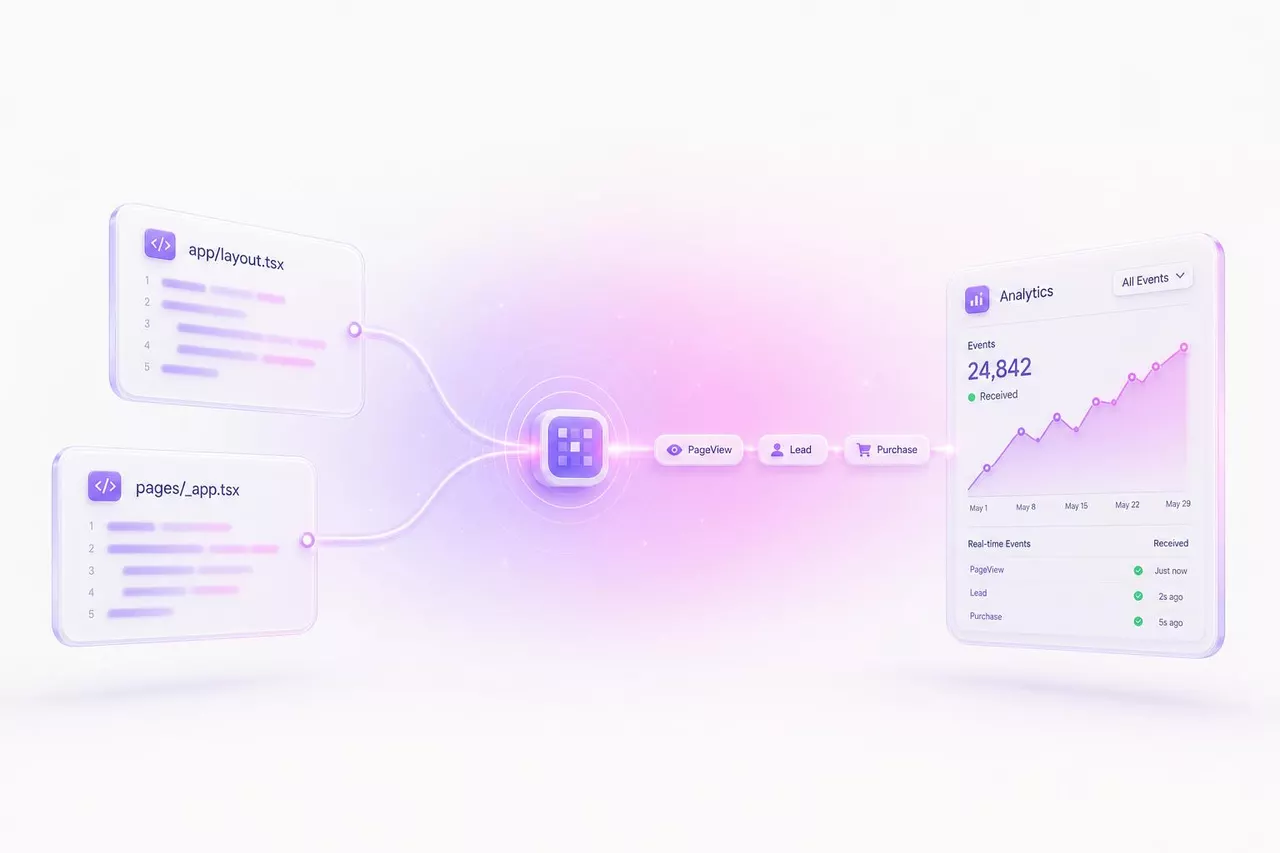
Do not spend a dollar on Meta ads before the pixel is live. Without it, Meta cannot optimize delivery, you cannot build retargeting audiences, and every campaign report is a guess. The good news for Next.js developers: the whole setup is about 20 lines of code and one environment variable. No npm package required.
There are wrapper packages on npm that hide the pixel behind a component import, and they are fine. But the manual setup is dependency-free, you can read every line of it, and it survives router migrations and Next.js major versions without waiting on a maintainer. This guide covers both the App Router and the Pages Router, because the one part that differs between them, route change tracking, is also the part most installs get wrong.
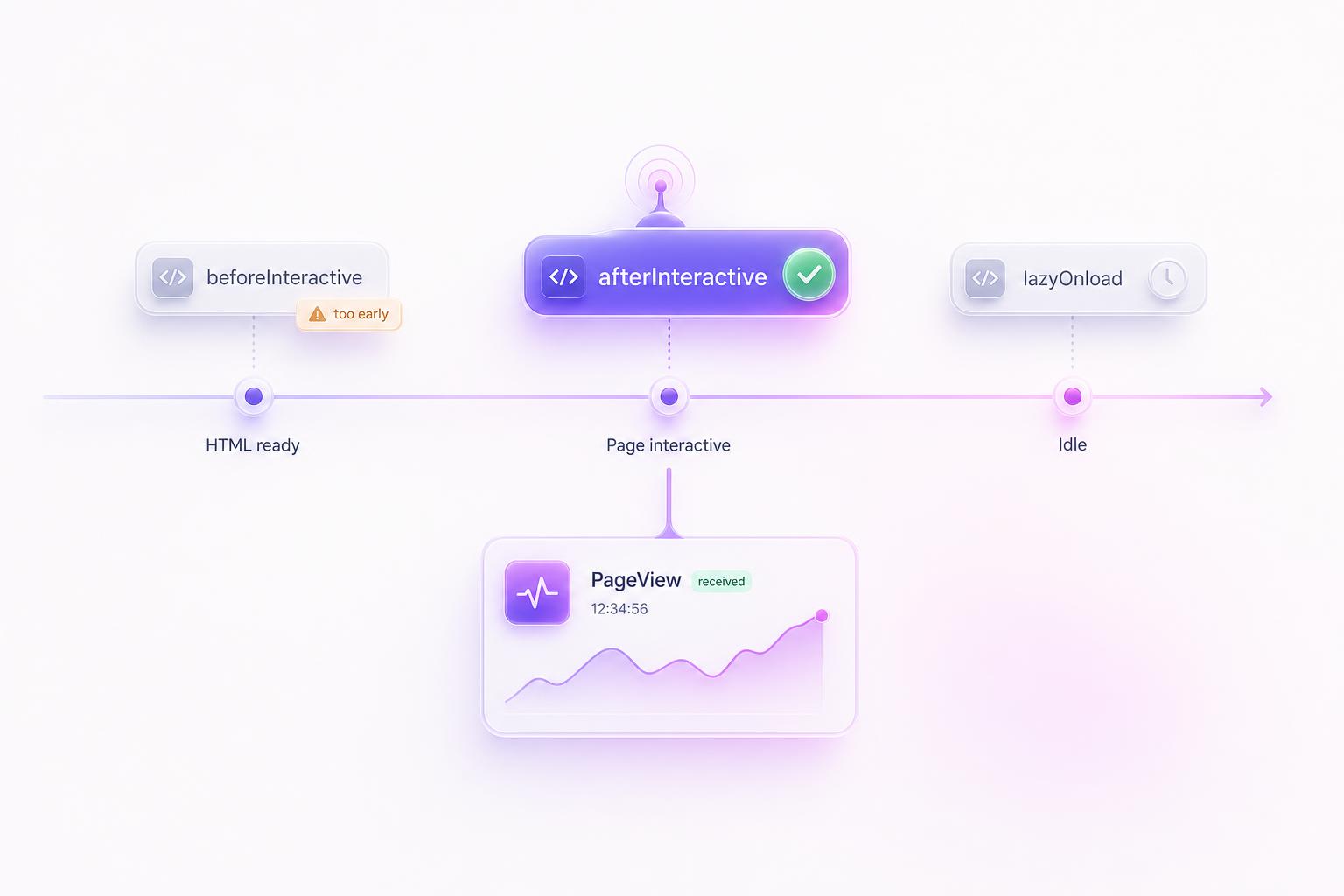
Bottom line: three steps. First, put your Pixel ID in .env.local as NEXT_PUBLIC_META_PIXEL_ID. Second, load the base snippet once with next/script and strategy="afterInteractive". Third, fire a PageView on every client-side route change, via usePathname in the App Router or routeChangeComplete in the Pages Router. Skip step three and Meta thinks every visitor bounced after one page.
Grab your Pixel ID first
Open Events Manager, click Data sources in the left sidebar, select your pixel, then open the Settings tab. The Pixel ID is the 15-16 digit number near the top. Copy it into .env.local at the root of your project:
.env.local
NEXT_PUBLIC_META_PIXEL_ID=1234567890The NEXT_PUBLIC_ prefix is required. Next.js only exposes environment variables to the browser bundle if they carry that prefix, and the pixel runs in the browser. Do not worry about the ID being public; it is visible in the page source of every site that runs the pixel, which is why it is an ID and not a secret. Restart your dev server after adding the variable so Next.js picks it up.
The shared pixel helper
Both router setups import from one small helper file. It exports the pixel ID, declares the window.fbq type so TypeScript stops complaining, and wraps the two calls you will actually make: pageview() for navigation and track() for everything else.
lib/fbpixel.ts
export const FB_PIXEL_ID = process.env.NEXT_PUBLIC_META_PIXEL_ID as string;

declare global {
  interface Window {
    fbq: (...args: unknown[]) => void;
  }
}

export const pageview = () => {
  window.fbq("track", "PageView");
};

export const track = (
  name: string,
  options: Record<string, unknown> = {}
) => {
  window.fbq("track", name, options);
};
That is the whole abstraction. Every event your app ever sends goes through these two functions, which also gives you a single choke point later if you add consent gating or want to log events in development.
App Router setup
Create one client component. It does two jobs: injects the base pixel snippet with next/script, and watches the URL so it can report client-side navigations that the snippet alone would miss.
components/meta-pixel.tsx
"use client";

import Script from "next/script";
import { usePathname, useSearchParams } from "next/navigation";
import { Suspense, useEffect, useRef } from "react";
import { FB_PIXEL_ID, pageview } from "@/lib/fbpixel";

function PixelTracker() {
  const pathname = usePathname();
  const searchParams = useSearchParams();
  const firstLoad = useRef(true);

  useEffect(() => {
    if (firstLoad.current) {
      firstLoad.current = false; // the base snippet already sent the first PageView
      return;
    }
    pageview();
  }, [pathname, searchParams]);

  return null;
}

export function MetaPixel() {
  return (
    <>
      <Script id="meta-pixel" strategy="afterInteractive">
        {`!function(f,b,e,v,n,t,s)
        {if(f.fbq)return;n=f.fbq=function(){n.callMethod?
        n.callMethod.apply(n,arguments):n.queue.push(arguments)};
        if(!f._fbq)f._fbq=n;n.push=n;n.loaded=!0;n.version='2.0';
        n.queue=[];t=b.createElement(e);t.async=!0;
        t.src=v;s=b.getElementsByTagName(e)[0];
        s.parentNode.insertBefore(t,s)}(window, document,'script',
        'https://connect.facebook.net/en_US/fbevents.js');
        fbq('init', '${FB_PIXEL_ID}');
        fbq('track', 'PageView');`}
      </Script>
      <Suspense fallback={null}>
        <PixelTracker />
      </Suspense>
    </>
  );
}
Then mount it once inside <body> in your root layout:
app/layout.tsx
import { MetaPixel } from "@/components/meta-pixel";

export default function RootLayout({
  children,
}: {
  children: React.ReactNode;
}) {
  return (
    <html lang="en">
      <body>
        {children}
        <MetaPixel />
      </body>
    </html>
  );
}
Three details in that component earn their place. strategy="afterInteractive" loads the pixel after hydration, so it never blocks LCP or competes with your own JavaScript for the initial render. The firstLoad ref exists because the base snippet already sends a PageView when it initializes; without the guard, the effect would fire a second one on mount and every page would count twice.
The Suspense boundary is not optional. Any component that calls useSearchParams must be wrapped in one, or next build fails on statically rendered routes with a missing-suspense-boundary error. Because the tracker renders null, the fallback={null} costs you nothing.
Pages Router setup
Same base snippet, different navigation hook. The Pages Router emits a routeChangeComplete event on every client-side navigation, so the tracking lives in _app.tsx:
pages/_app.tsx
import type { AppProps } from "next/app";
import Script from "next/script";
import { useRouter } from "next/router";
import { useEffect } from "react";
import * as fbq from "@/lib/fbpixel";

export default function App({ Component, pageProps }: AppProps) {
  const router = useRouter();

  useEffect(() => {
    const handleRouteChange = () => fbq.pageview();
    router.events.on("routeChangeComplete", handleRouteChange);
    return () => {
      router.events.off("routeChangeComplete", handleRouteChange);
    };
  }, [router.events]);

  return (
    <>
      <Script id="meta-pixel" strategy="afterInteractive">
        {`!function(f,b,e,v,n,t,s)
        {if(f.fbq)return;n=f.fbq=function(){n.callMethod?
        n.callMethod.apply(n,arguments):n.queue.push(arguments)};
        if(!f._fbq)f._fbq=n;n.push=n;n.loaded=!0;n.version='2.0';
        n.queue=[];t=b.createElement(e);t.async=!0;
        t.src=v;s=b.getElementsByTagName(e)[0];
        s.parentNode.insertBefore(t,s)}(window, document,'script',
        'https://connect.facebook.net/en_US/fbevents.js');
        fbq('init', '${fbq.FB_PIXEL_ID}');
        fbq('track', 'PageView');`}
      </Script>
      <Component {...pageProps} />
    </>
  );
}
One nice property here: routeChangeComplete does not fire on the initial page load, only on subsequent navigations. The base snippet covers the first PageView and the event listener covers the rest, so no dedup flag is needed. The cleanup function matters too; without it, hot reloads in development stack up duplicate listeners and you start seeing multiplied PageViews that look like a bug in the pixel.
Why route change tracking matters
Next.js navigations are client-side. After the first load, clicking a link swaps components and updates the URL without ever reloading the document. The pixel's base snippet only runs on a real page load, so on its own it fires exactly one PageView per session, no matter how many pages the visitor actually reads.
The damage from skipping this is quiet but expensive. Meta's delivery system learns from event volume, and a site reporting one page per session gives it almost nothing to learn from. Your retargeting audiences suffer the same way: an audience defined as "people who visited /pricing" stays nearly empty when the pixel never hears about the navigation to /pricing. You end up paying prospecting prices for people the pixel technically met but never remembered.
Tracking conversions, not just PageViews
PageView tells Meta someone showed up. Conversions tell it who was worth showing up. The track() helper from lib/fbpixel.ts sends any of Meta's standard events from wherever the conversion happens in your UI:
any client component
import { track } from "@/lib/fbpixel";

// after the email capture form submits
track("Lead");

// when a trial starts
track("StartTrial");

// on the post-checkout confirmation page
track("Purchase", { value: 39.0, currency: "USD" });
Stick to standard event names where one fits. Meta can optimize delivery toward standard events directly, while custom events need extra configuration before they are useful as campaign objectives. For a typical SaaS funnel, the mapping looks like this:
| Funnel step | Standard event |
|---|---|
| Pricing page visit | ViewContent |
| Email capture | Lead |
| Account signup | CompleteRegistration |
| Trial start | StartTrial |
| Paid conversion | Subscribe or Purchase |
Pass value and currency on purchase-type events from day one, even if you do not plan to use value-based bidding yet. The historical data has to exist before Meta can bid against it, and you cannot backfill it later.
Verify it actually fires
Two tools, use both. The Meta Pixel Helper Chrome extension sits in your toolbar and shows which pixels loaded on the current page and which events they sent. If the icon stays gray on your site, the base snippet never ran; check that the env var is set and the component is actually mounted. For any warning it shows, see what each warning means.
Then open Events Manager, select your pixel, and switch to the Test events tab. It streams events from your browser in real time. Load your site, then navigate between a few pages using in-app links, not the address bar. You should see exactly one PageView per navigation. Two per navigation means a duplicate fire; zero after the first one means route change tracking is not wired up.
One warning that saves a support thread: the aggregate charts in Events Manager lag by roughly 20 minutes. If you just installed the pixel and the overview page shows zeros, that is expected. Test Events is the live view; trust it and give the charts time to catch up.
The pixel measures. It cannot make ads convert.
Once the data is flowing, the bottleneck moves to creative. AdMakeAI generates the ad images and copy that give your pixel something to measure, so you can ship new variations as fast as you read the results.
Common problems
Doubled PageViews in development
React StrictMode mounts components twice in development to surface unsafe effects, which means the tracker effect runs twice and you see doubled PageViews in Test Events while running locally. This is dev only. Before touching the code, run a production build and check again; if the doubling disappears, there was never a bug.
The useSearchParams build error
If next build fails complaining that useSearchParams should be wrapped in a suspense boundary, the tracker component is being rendered without the Suspense wrapper from the setup above. On statically rendered routes, Next.js needs that boundary to know how to handle the request-time search params. Keep the wrapper where it is and the error never appears.
Ad blockers eat a chunk of browser events
Browser-side pixel requests get blocked by content blockers, and for a typical audience the loss lands in the 20-30% range, worse if you sell to developers. The fix is Meta's Conversions API: your server sends the same events over HTTP, immune to anything running in the browser. Send each event from both sides with the same eventID and Meta deduplicates them, so events blocked in the browser still arrive from the server while unblocked ones are counted once instead of twice. It is a separate project, but this pixel setup is the prerequisite for it.
EU traffic and consent
If you serve EU visitors, the pixel must not track before consent. The pixel has this built in: call fbq("consent", "revoke") before the init call, and the pixel queues everything without sending. When the visitor accepts your consent banner, call fbq("consent", "grant") and the queued events flush. Wire the grant call into your cookie banner callback and the rest of this setup stays unchanged.
Frequently Asked Questions
usePathname and useSearchParams from next/navigation, which have been stable since 13, and the Pages Router version uses router.events, which has worked the same way for years. Nothing here touches APIs that changed in 15.Pixel installed. Now feed it ads worth measuring.
AdMakeAI generates Meta-ready ad creative from your product in about 30 seconds, so the events you just wired up have campaigns behind them. Free credits to start, no credit card.
Related guides
Install the Meta Pixel in React
The same pixel for Vite and other React SPAs, where the router situation is messier than Next.js.
Install the Meta Pixel in Nuxt
The Vue equivalent of this guide: plugin setup, route middleware, and SSR gotchas.
Install the Meta Pixel on a Plain HTML Site
No framework, no route tracking needed. The five-minute version for static sites and landing pages.
How to Connect Claude to Meta Ads
Once the pixel is reporting, let an AI agent research competitors and draft campaigns over the official API.
Make your next ad from what already runs
Research what competitors are running, then generate your own on-brand ads in minutes.