Best AI Product Photography Tools 2026, Priced Per Photo
Photoroom from 1.3 cents an export, Pebblely from $9, Flair $1.75 an ad. AdMakeAI turns one phone photo into a finished ad for 16 cents. 7 tools, Oct 2026.
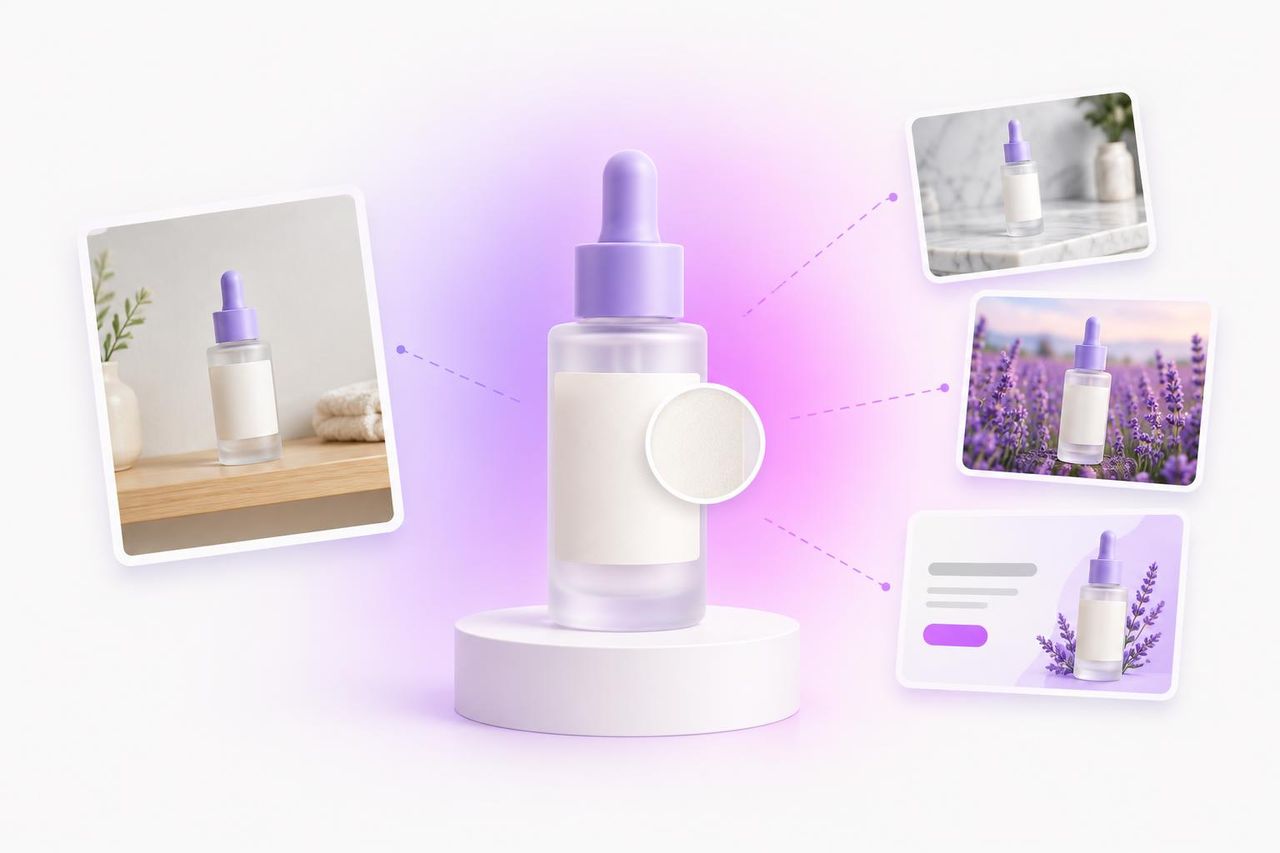
If your product photo is headed for an ad, AdMakeAI is the pick: one phone photo comes back as a finished ad, scene, headline and button included, for about 16 cents on the Starter plan. If you need clean white-background listing shots, Photoroom does that best, at $12.99 a month for 1,000 exports. ChatGPT and Gemini will stage your product beautifully for free; you still write the prompt and build the ad yourself.
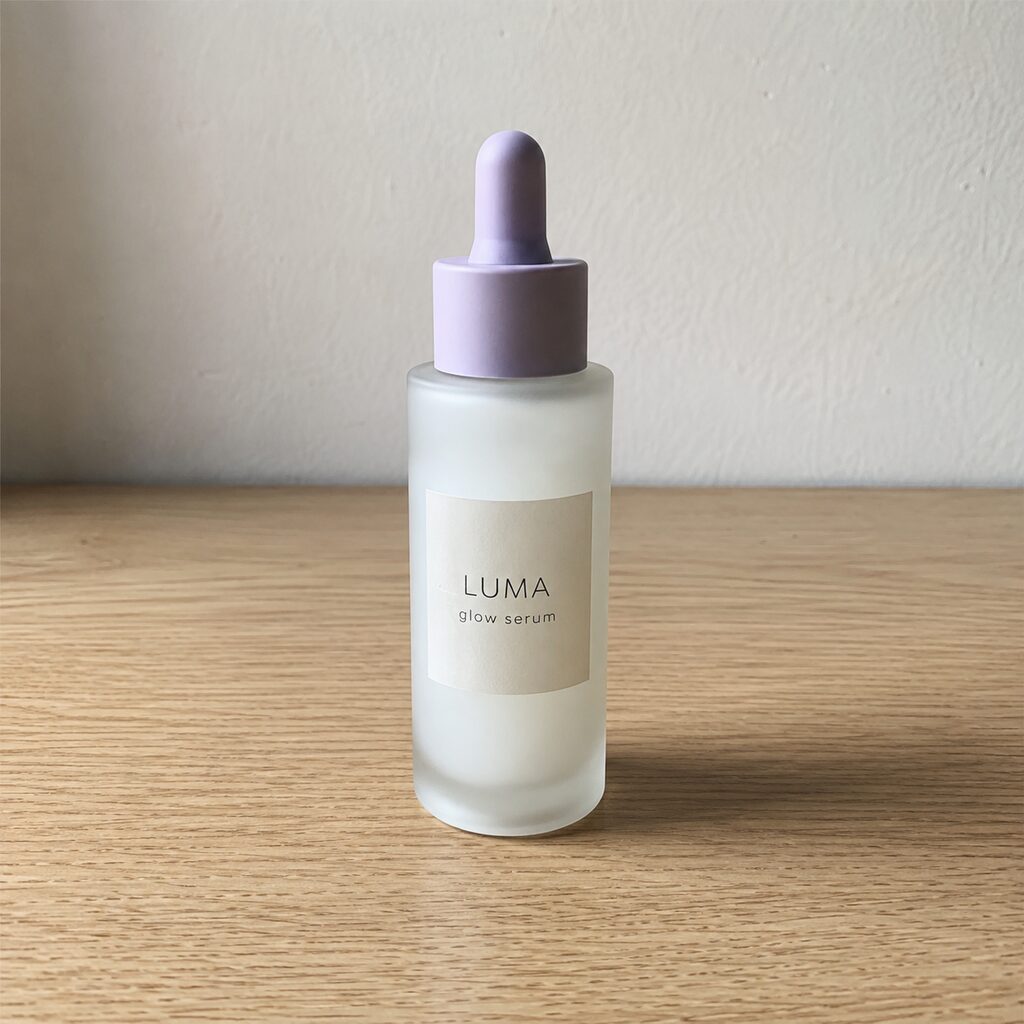
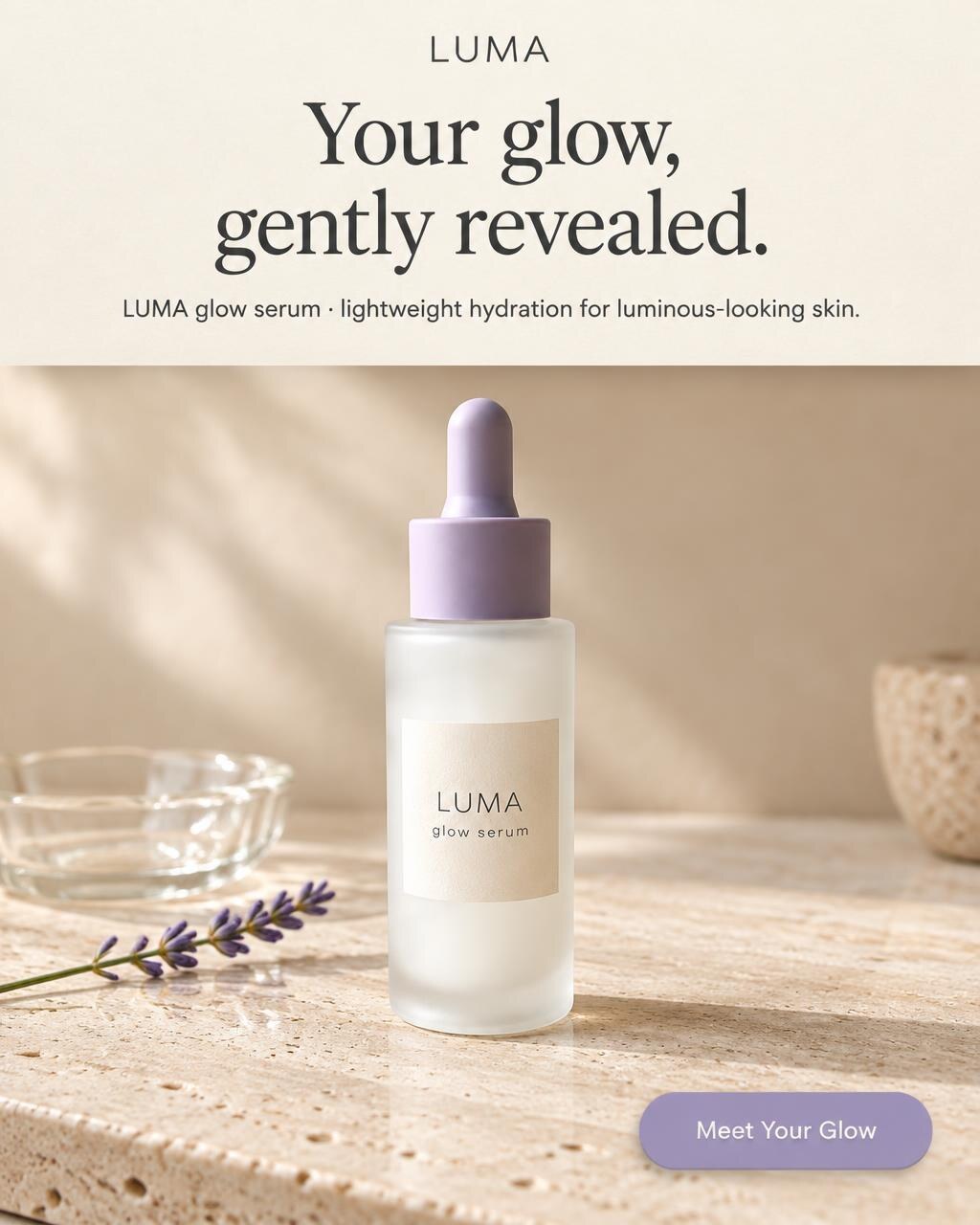
Our test bottle: one phone photo in, this ad out about 30 seconds later, for 2 credits.
No prompt typed. The template wrote the headline and button.
Try a product templateWhich tool to pick for your product photos
Your photo is going into a Facebook or Instagram ad
AdMakeAI, about $0.16 a finished ad, 30 free credits to start
White-background listing or Amazon main image
Photoroom, $12.99 a month for 1,000 exports
Thousands of SKUs, or you need an API
Claid, $0.12 a scene (or Photoroom's API)
Cheapest paid plan, one click
Pebblely, $9 a month for 30 images
Lots of AI backgrounds on a small budget
Pixelcut, $10 a month, 300 backgrounds a day
A few art-directed hero scenes
Flair, $35 a month for 80 images
No budget yet
AdMakeAI, 30 free credits for ads, no card; Photoroom's free plan for personal use; ChatGPT or Gemini for a photo you finish yourself. More in free AI ad generators, judged on their free tiers
How we ranked
We ranked on three things: whether the output still looks like your product (label, shape, size), what one image costs at list price, and how close it comes out to something you can publish, as a listing or as an ad. AdMakeAI is ours. Every tool needs rerolls, so we judged cost per image and whether the label survives.
Prices, free plans and limits, side by side
Swipe sideways to see every column
| Tool | Cheapest paid plan, monthly | What it buys | Cost per image | Free tier | What you get back | Batch |
|---|---|---|---|---|---|---|
| AdMakeAI (ours)Photo is headed for an ad | Starter $39 ($27.30 yearly) | 500 credits; an ad is 2 standard, 8 high, 20 ultra | $0.16 standard ad, $0.62 high, $1.56 ultra | 30 credits (15 ads), no card | The finished ad: scene, headline, button | Up to 20 per ad set |
| PhotoroomWhite listing shots at volume | Pro $12.99 ($7.50 yearly) | 1,000 exports + 8,000 AI credits | $0.013 per export | 100 to 250 exports a month, personal use only | Your cut-out on white or a new background | 250 per batch |
| ClaidBig catalog or API | Essentials $15 ($9 yearly) | 500 credits | $0.12 per AI photoshoot ($0.30 at 2K) | 50 credits once | A product photo | Pro and up |
| PixelcutUnlimited AI backgrounds | Pro $10 ($8 yearly) | 600 credits; AI backgrounds 300 a day | Backgrounds unmetered; $0.25 per premium-model image | Limited, no watermark, no commercial license listed | A product photo | 1,000 exports a month |
| Flair AIArt-directed hero scenes | Pro+ $35 ($26 yearly) | 80 images; ads cost 4x | $0.44 per image, $1.75 per ad | 5 images | A staged scene | No |
| PebblelyCheapest plan, one click | Lite $9 | 30 images | $0.30 (Basic $0.095, Pro $0.078) | None | Your product on a new background | Basic and up |
| ChatGPT / GeminiA free photo you finish yourself | ChatGPT Go $8, Plus $20; Google AI plans | More images; caps unpublished | Free to try | Yes; Gemini adds a visible sparkle | A photo; you add the headline and button | No |
Prices from each pricing page, checked October 18, 2026, monthly billing (yearly per month in brackets). Photoroom counts every saved image as an export; its AI generations use a separate credit pool.
A finished AdMakeAI ad, headline and button on it, costs 16 cents: about what Claid charges for one AI photo, and a tenth of a Flair ad.
What one image costs at list price
Tap or hover a bar for the math
Per photo
A background or scene, no ad on it. Scale $0 to $0.50.
Claid photoshoot: Essentials: $15 for 500 credits, 4 credits a photoshoot
Per finished ad
Scene plus headline and button. Scale $0 to $4.
Photoroom, Claid, Pixelcut, Pebblely, ChatGPT and Gemini stop at the photo.
AdMakeAI standard: Starter: $39 for 500 credits, 2 credits an ad
Dashed line: one finished AdMakeAI ad, $0.16, drawn on the photo scale.
The 7 best AI product photography tools in 2026
1. AdMakeAI: best if the photo is headed for an ad
You have the product, a phone and a launch coming up. There's no budget for a shoot, and a prettier photo still leaves you in Canva adding the headline, the button and the 4:5 crop. With AdMakeAI you upload the phone photo, pick one of 17 product templates, and about 30 seconds later you have the ad.
In: one phone photoOur test bottle on a shelf.
Product Showcase template
Headline, a line of copy, a button
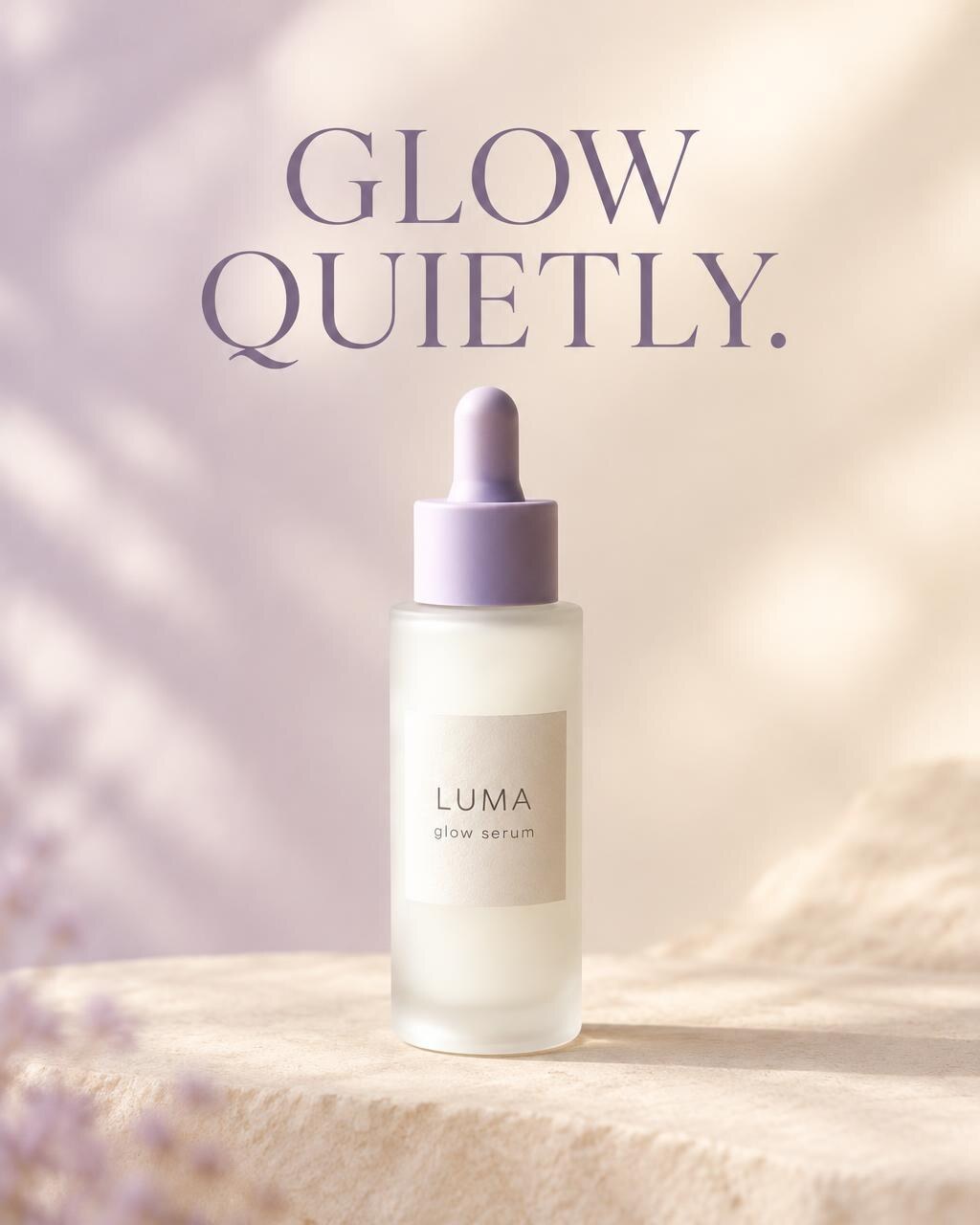
Statement template
One bold line over the product
That format is the one Meta advertisers keep running. In 932 live Meta static ads we pulled on October 9, 2026, a product shot with a headline ran a median 175 days, and a bare phone photo with no text the shortest, a median 52.
Your product stays your product, too. The same bottle went from a wooden shelf to a studio podium, a lavender field, a marble counter and a pastel set, and "LUMA glow serum" reads correctly in every one.
Four AdMakeAI scenes from the one phone photo
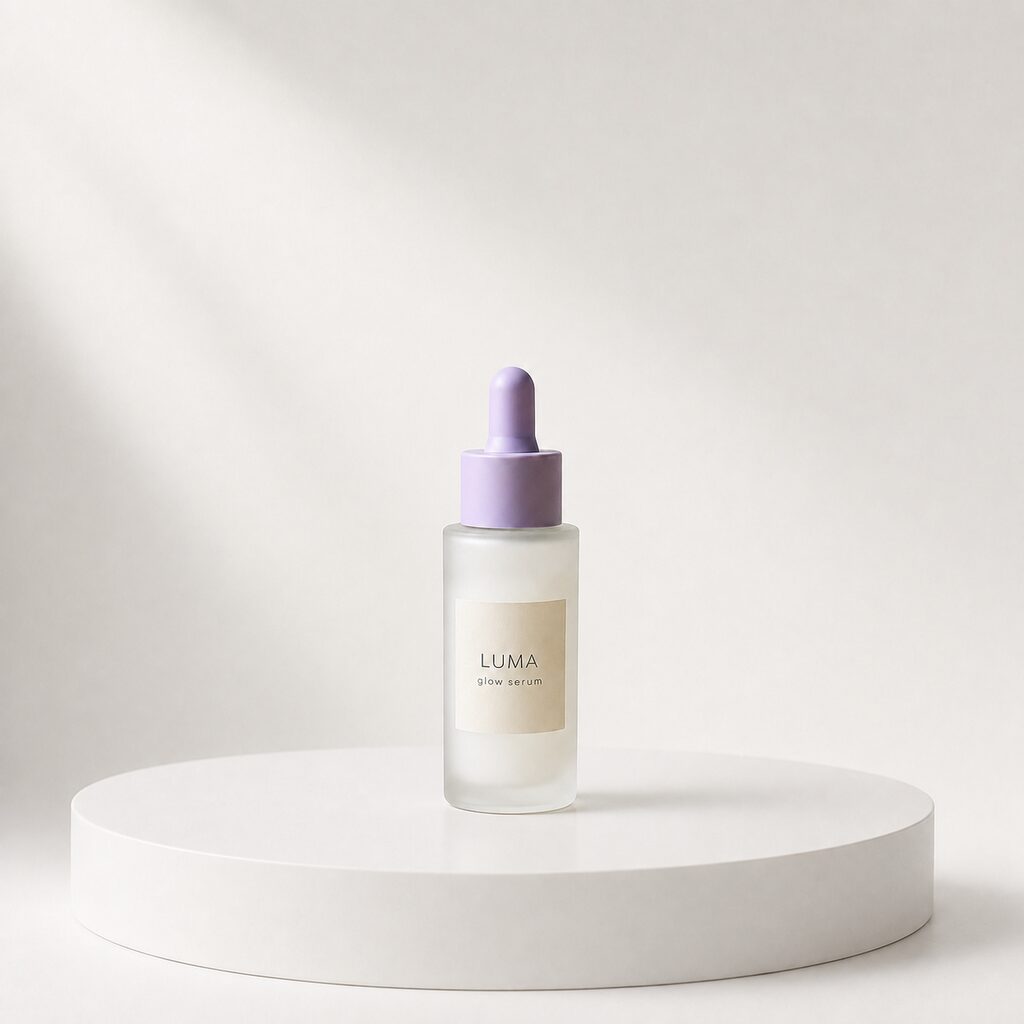
Studio podium
Label correct
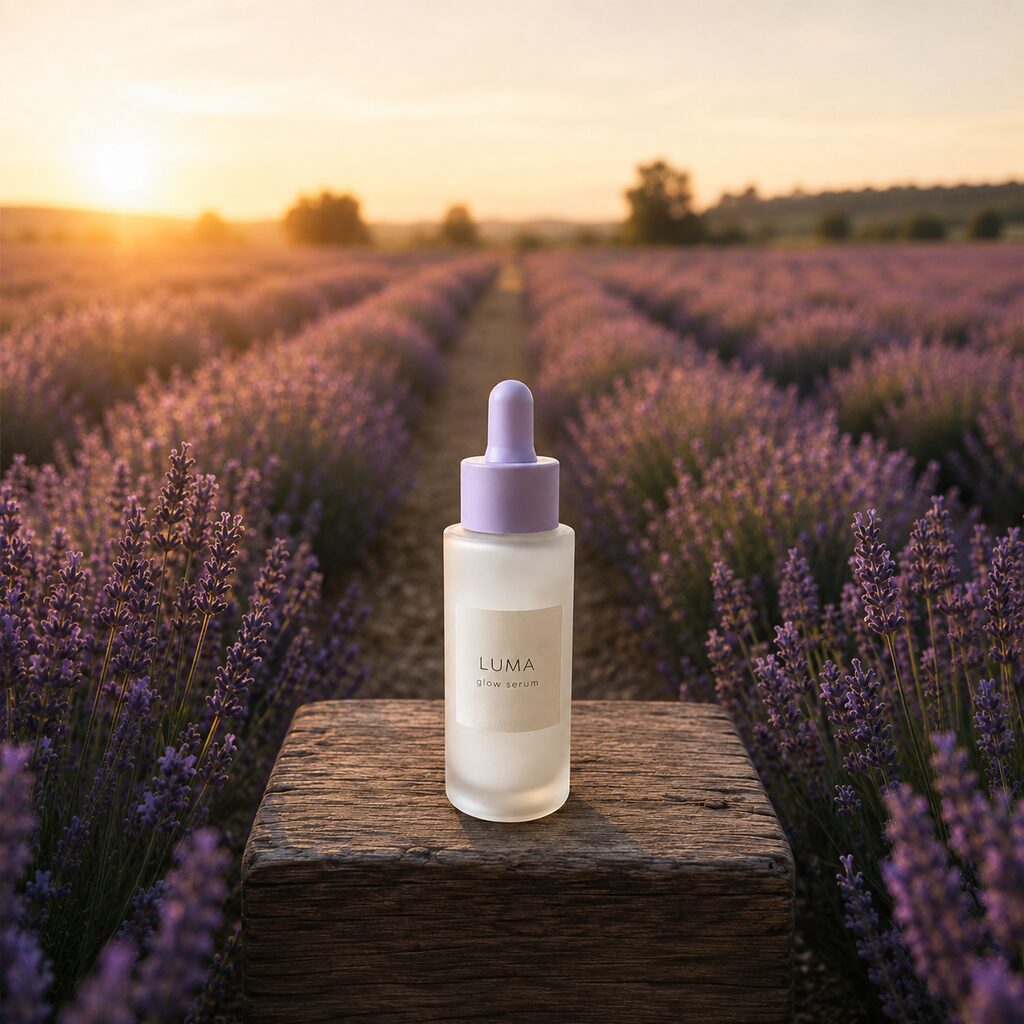
Lavender field
Label correct
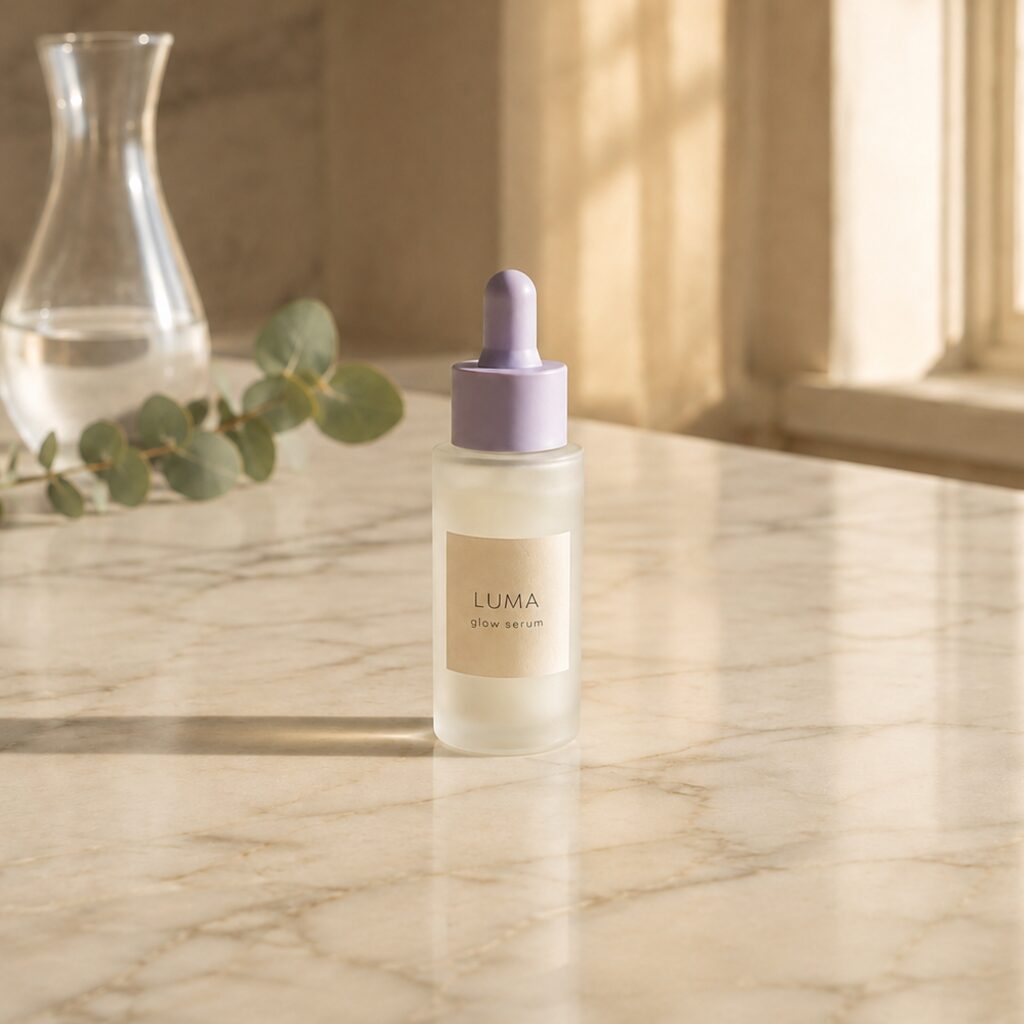
Marble counter
Label correct
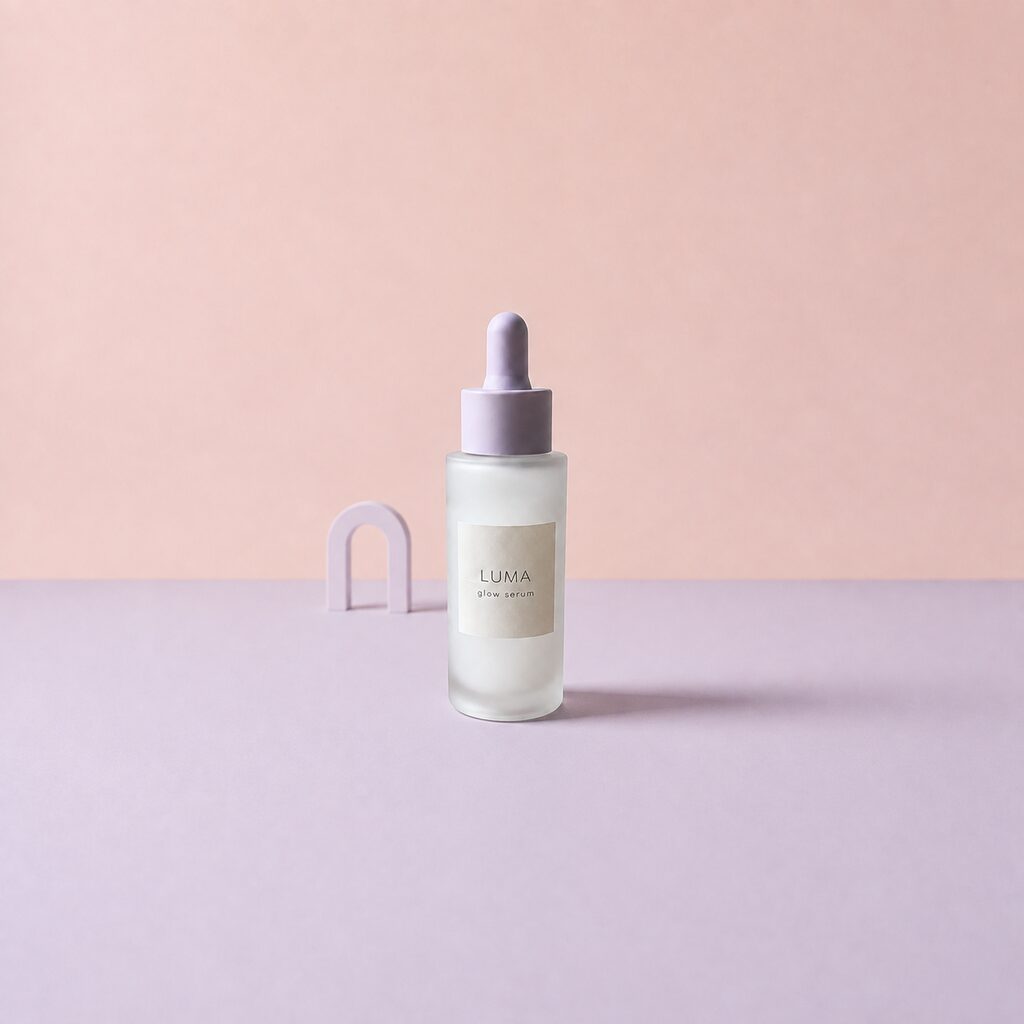
Pastel set
Label correct
For the store, the photo-only templates (product in hand, flat lay, minimalist) give staged shots with no text. When an ad works, Ad Set Studio makes up to 20 variations in one set, so one photo can fill a week of tests.
30 free credits, no card, cover 15 standard ads, and you can try 2 templates before signing up. After that, Starter is $39 for 500 credits, about $0.16 a standard ad or $0.62 at high quality. For ad tools beyond product photos, see the paid AI ad generators compared.
One tip: AdMakeAI builds scenes and ads; it doesn't make plain white cut-outs. For the white Amazon main image, run the photo through Photoroom, then bring the same photo here for the ads.
Upload your phone photo, pick a template, get the ad back with the headline and button on it.
Turn your product photo into 15 free ads2. Photoroom: best if you need clean white-background listing shots at volume
Photoroom is the best cut-out tool here: product off the background, onto white with a believable shadow, 250 images per batch, on phone or web. At $12.99 for 1,000 exports on Pro, a listing photo costs about a cent (Photoroom pricing). The catch for Shopify stores: syncing straight into your catalog starts on the $34.99 Max plan.
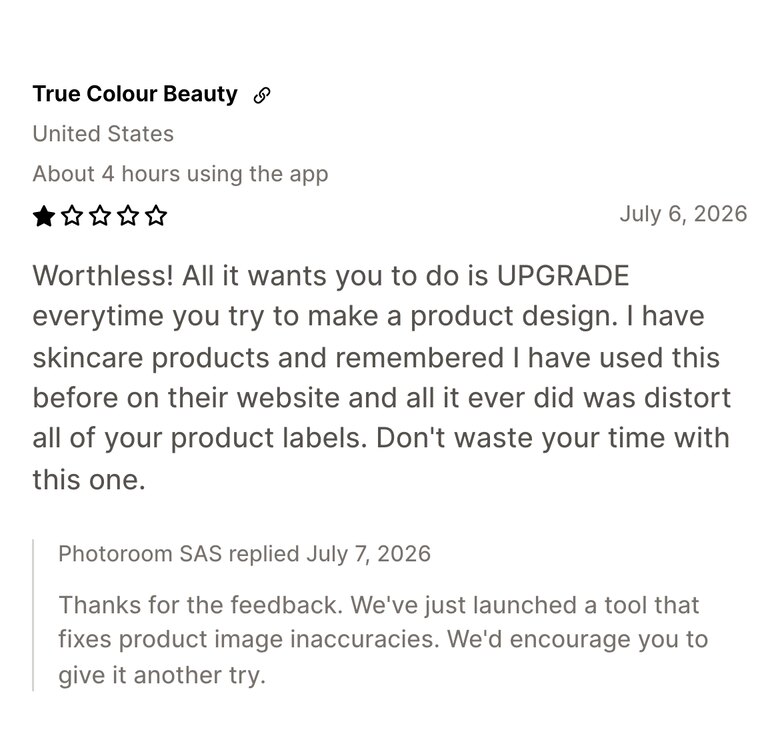
Watch out for: its AI scenes. "All it ever did was distort all of your product labels," a beauty brand wrote on its Shopify App Store page in July 2026, and an October review says it "never gets dimensions correct for my jewelry." Photoroom replied that it had just launched a tool that fixes product image inaccuracies. Either way, what you export is a photo: keep Photoroom for the white shot, because the ad is where AdMakeAI starts.
3. Claid: best if you run a big catalog or need an API
Claid is built for catalogs and developers: an API, bulk processing from Pro, and on-model fashion shots. Essentials is $15 a month for 500 credits; a standard AI photoshoot uses 4 ($0.12), or 10 at 2K ($0.30). The free plan gives 50 credits once.
Watch out for: the scenes. "The tool's outcomes always look ridiculous and super unnatural," says a May 2026 Trustpilot review, a minority view on a 4.1 rating from 18 reviews.
4. Pixelcut: best if you want unlimited AI backgrounds for $10
Pixelcut Pro is $10 a month ($8 yearly), and its AI backgrounds aren't metered: 300 a day, plus 600 credits and 1,000 batch exports a month. The credits go to premium models at 15 an image, about $0.25. The free plan exports without a watermark but lists no commercial license.
Watch out for: billing. Its Trustpilot score is 1.7 from 69 reviews, mostly about charges; a July 2026 one says "their weekly subscription is not weekly, as I have been getting charged every 4-5 days".
5. Flair AI: best if you art-direct a few hero scenes on desktop
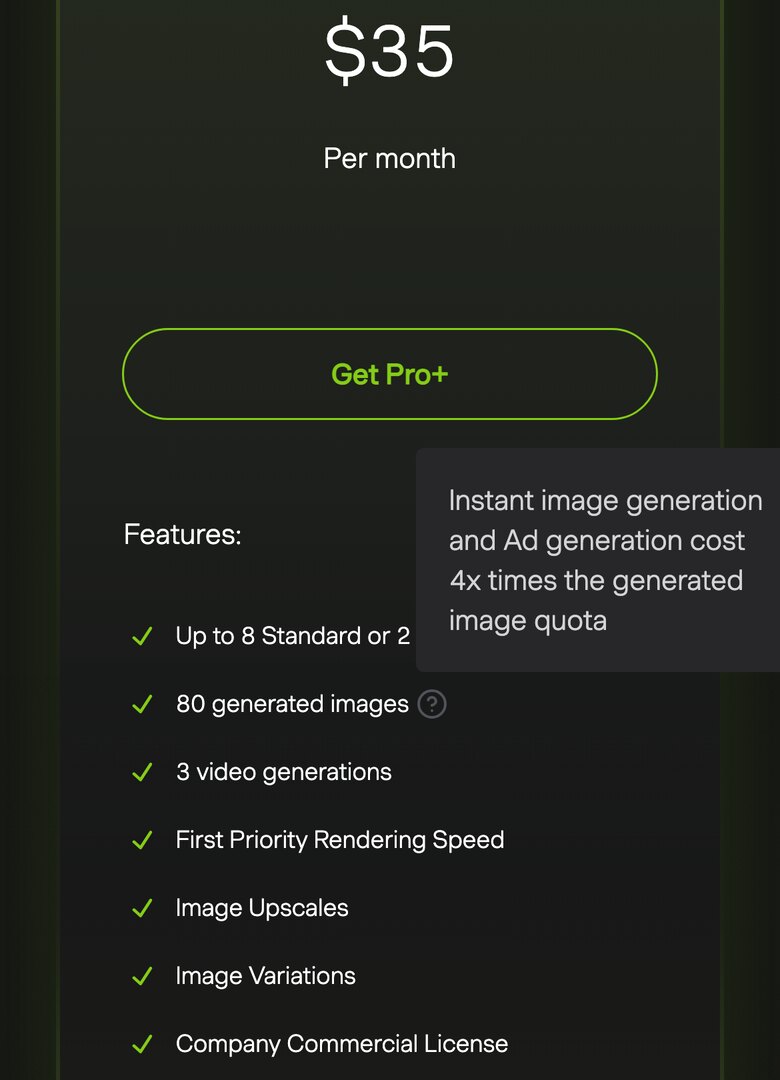
Flair gives you a canvas: drop the product in, arrange the scene, and it renders around your placement, with custom product models trained on 6 to 10 photos. SellerStacked's July 2026 test rated it best for lifestyle compositing. Pro+ is $35 for 80 images ($0.44 each), but Flair's pricing page says ad generations cost 4x, so an ad is $1.75. Company use needs Pro+, credits don't roll over, and "Mobile support is currently limited".
Watch out for: labels. In that same test, "My supplement bottles, with their black text on white labels, came out wrong in 4 of 6 generations." AdMakeAI does the art direction for you at $0.16 a standard ad, with no canvas to learn.
6. Pebblely: best if you want one click and nothing to learn
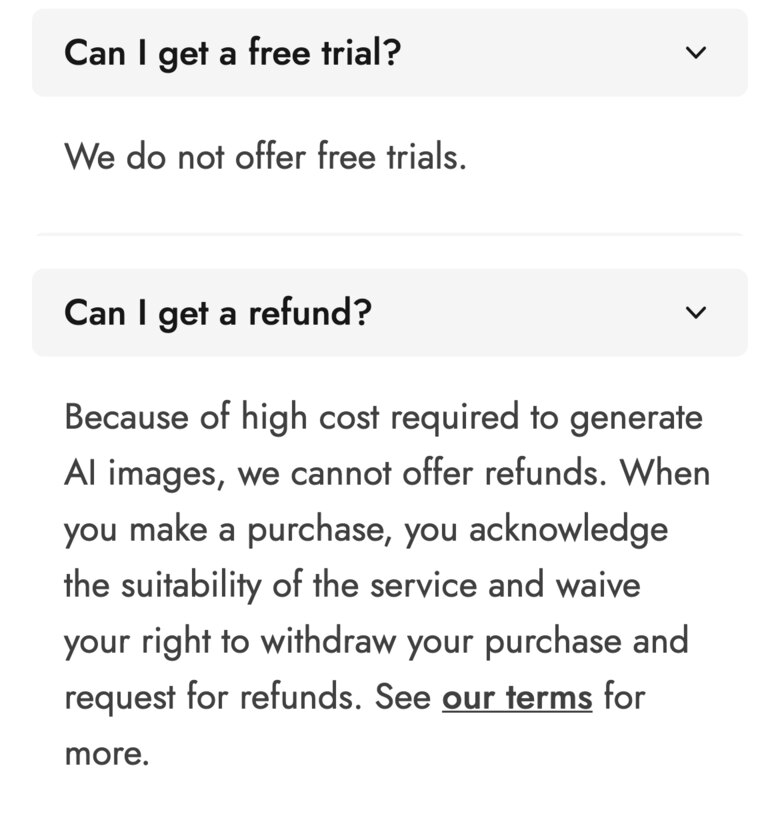
Pebblely is the simplest tool here and the cheapest way in: upload, pick one of 40+ themes, get backgrounds. Lite is $9 for 30 images, Basic $19 for 200 with bulk, Pro $39 for 500. The Shopify app is no longer on the Shopify App Store.
Watch out for: rerolls. An April 2026 Trustpilot review says it "does not listen to instructions, and then I have to repeat again and lose credits", and the pricing page confirms every reroll uses an image and unused ones don't roll over.
7. ChatGPT or Gemini: best if you want a free photo and will build the ad yourself
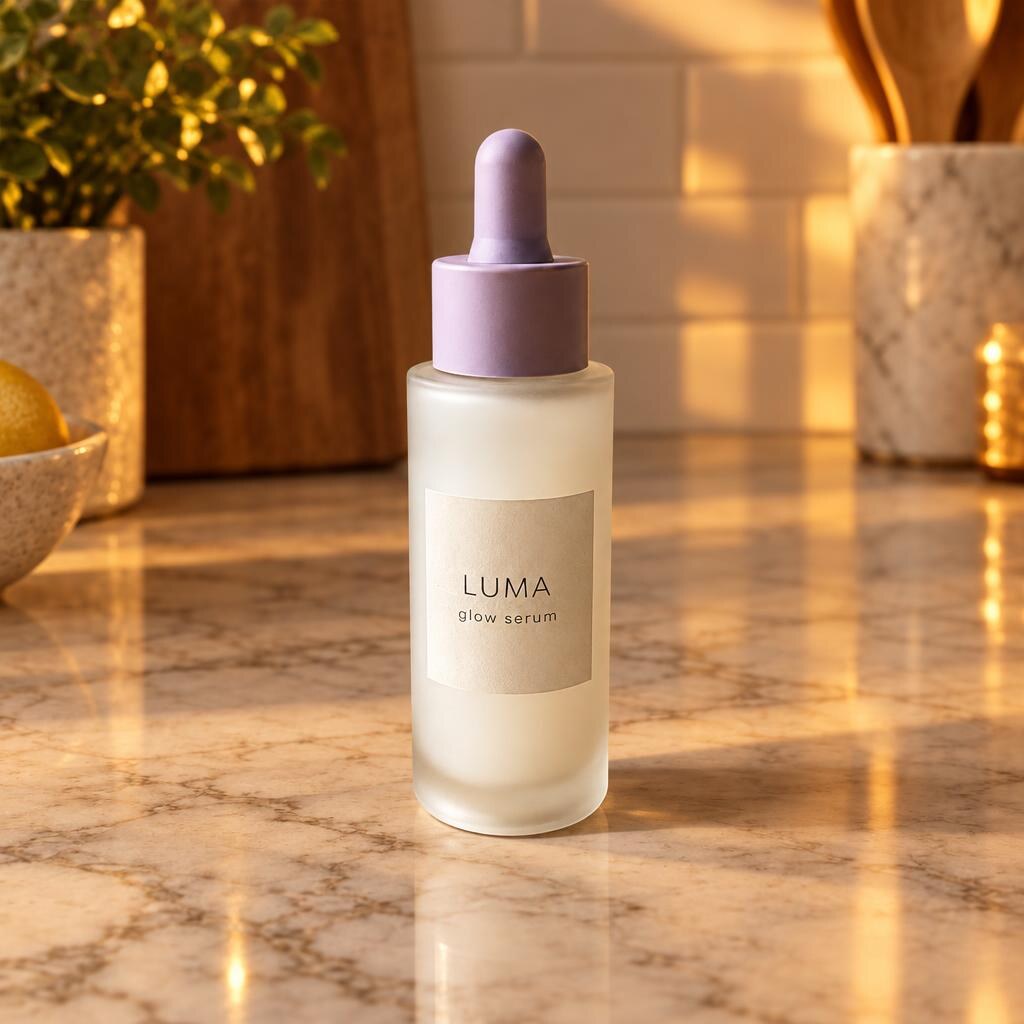
Most people start here: it's free and the photos are stunning. We gave ChatGPT and Gemini our test bottle and one line: "Place this exact bottle on a marble kitchen counter in warm evening light. Keep the bottle, dropper and label text exactly as they are." Two runs each, and every run kept the label intact. Then we typed the same scene into AdMakeAI's Product Showcase template.
Same bottle, same marble counter
ChatGPT
Label correct, 2 of 2 runs
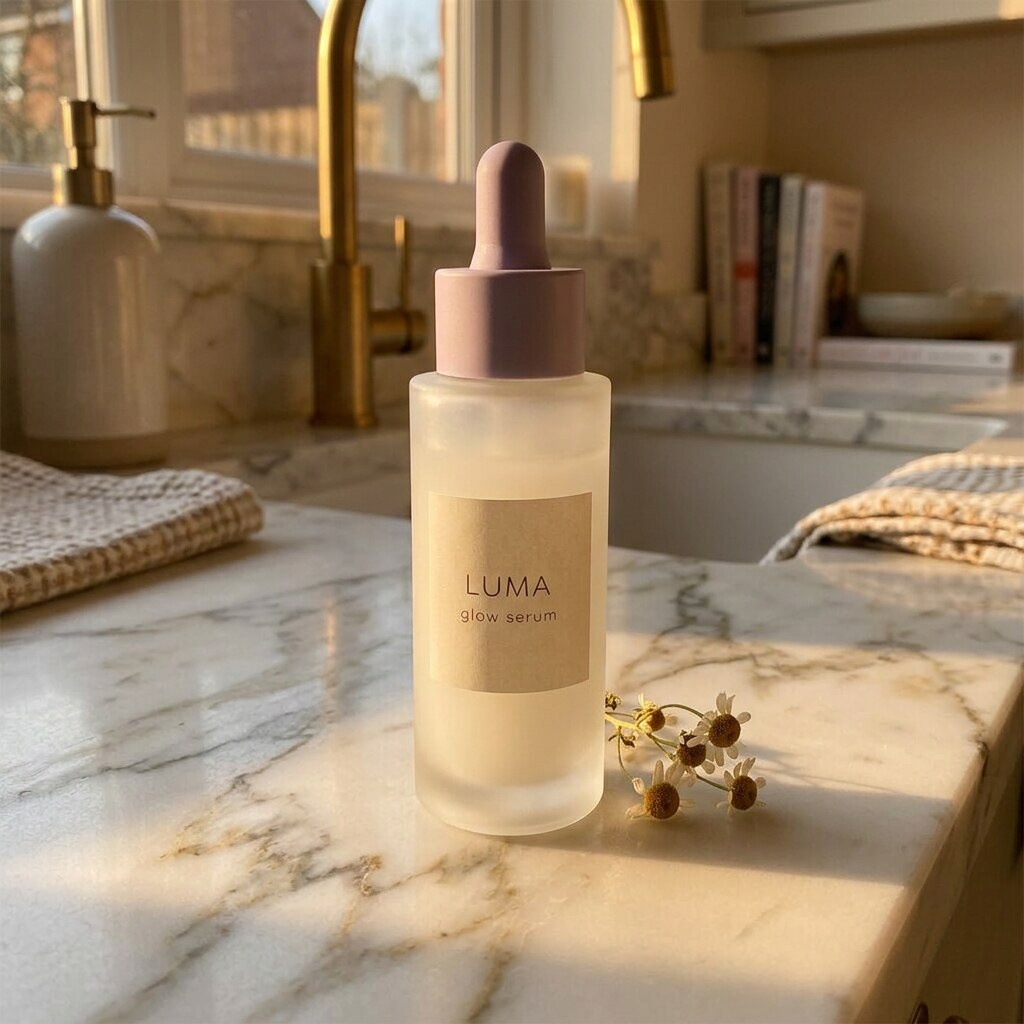
Gemini
Label correct, 2 of 2 runs
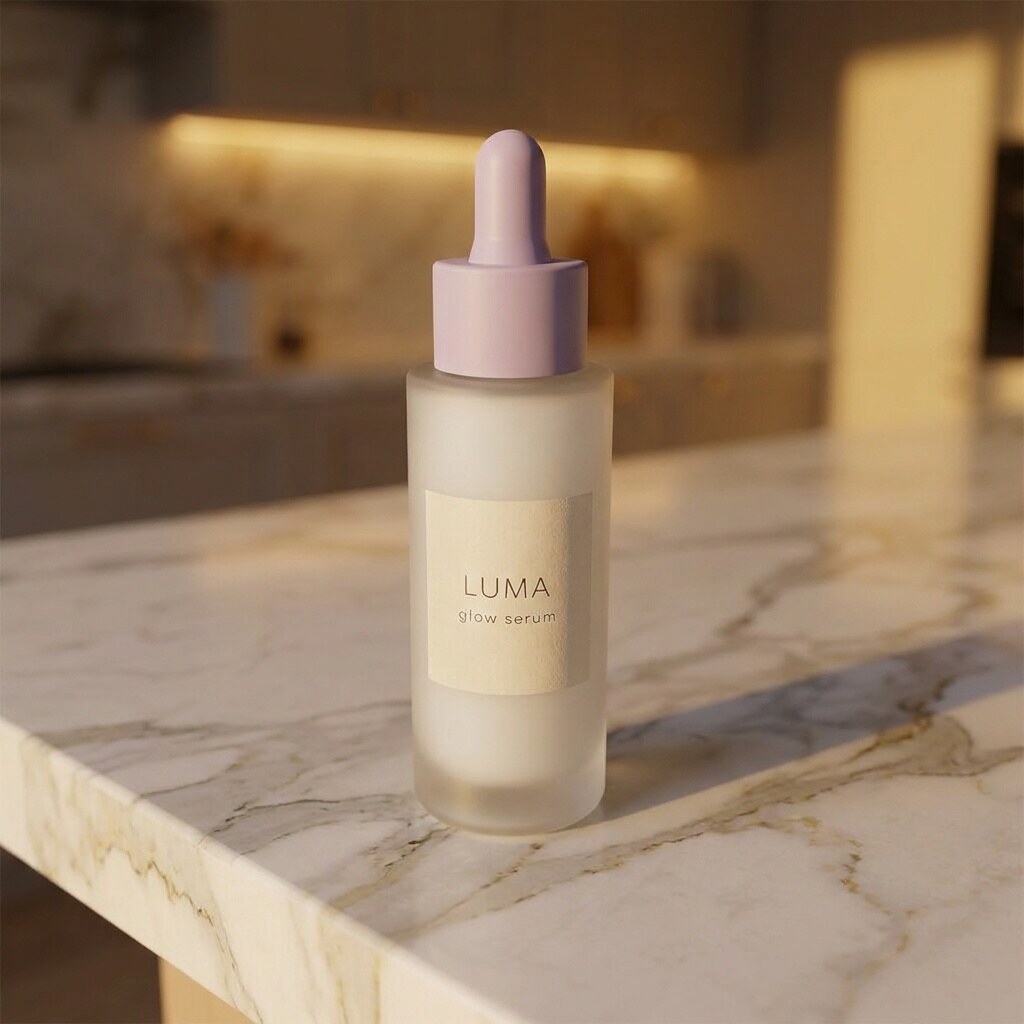
Gemini (Pro model)
Label correct, 2 of 2 runs
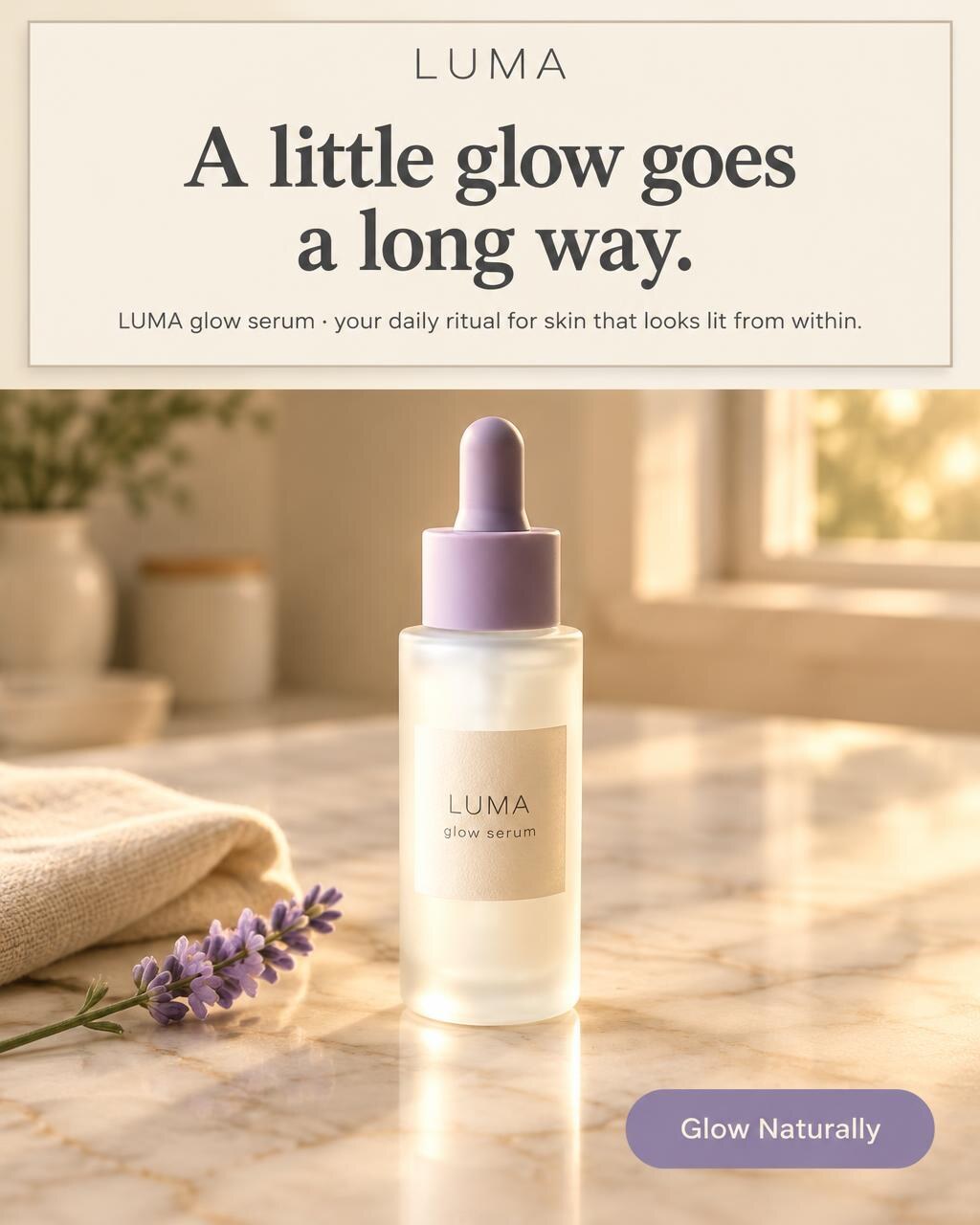
AdMakeAI
Label correct, headline and button on
Watch out for: the work after the photo. You still write the headline, add the button, crop to 4:5 and redo it all for every variation, and each follow-up edits the last image, not your original. Gemini's free tier also stamps a visible sparkle on its Pro model's images. AdMakeAI runs the same class of models and hands back the ad: 15 of them on the free credits, 20 variations per Ad Set Studio run.
Also considered
Kive
Campaign sets from a product model you train, $40 a month, about $4 per finished ad. Trustpilot 2.8; a September 2026 review says it "often mistakes the company name or logo".
Adobe Firefly
$9.99 a month for 2,000 credits, Generative Fill unlimited on paid plans. Fine if you live in Photoshop; no catalog batch, Shopify or marketplace presets.
CreatorKit
Pivoted to AI video avatars; newest blog post August 2024.
Picsart
A general editor with no product-photo edge over Pixelcut.
Booth.ai
Shut down by 2025; some lists still include it.
Matter Studio
A human studio in Auckland, priced per project. See the FAQ.
AI product photography tools FAQ
Is Photoroom or Flair AI better for ecommerce product photography?
Photoroom for most stores: clean cut-outs at $12.99 for 1,000 exports. Flair for a few art-directed hero scenes at $35 for 80 images, though ads count 4x and labels failed 4 of 6 in one July 2026 test.
Is Photoroom or Pebblely better for AI product background generation?
Photoroom: $12.99 buys 1,000 exports plus 4,000 basic AI backgrounds, against 200 images on Pebblely's $19 plan, which has no free trial or refunds.
How does Photoroom compare to Kive?
Photoroom edits photos you already have, billed per export. Kive generates new campaign images from a product model you train, about $4 per finished ad on its $40 plan.
What is the best AI that can edit my store's products?
Photoroom for listing photos (Shopify sync from the $34.99 Max plan). AdMakeAI for ads: it pulls up to 4 product photos from your store URL and makes finished ads at about $0.16 each.
How much do Pebblely and Flair AI cost in 2026?
Pebblely: $9 a month for 30 images, $19 for 200, $39 for 500, no free plan or trial. Flair AI: Pro+ is $35 for 80 images ($26 yearly), and an ad uses 4.
Photoroom vs DALL-E 3 or Black Forest Labs: which should I use?
DALL-E 3 is retired (its API shut down May 12, 2026), and Black Forest Labs sells FLUX only by API. Both redraw your product; use Photoroom for listings. Dates on OpenAI's deprecations page.
How does Matter Studio's approach differ from AI-only tools like Photoroom?
Matter is a New Zealand studio where photographers and retouchers direct the AI work, check it against the physical product and quote per project. Photoroom is self-serve, about 1.3 cents an export.
Is there a free AI product photography tool?
AdMakeAI gives 30 free credits, no card, enough for 15 ads. Photoroom's free plan gives 100 to 250 exports a month for personal use only, Claid gives 50 credits once, ChatGPT and Gemini are free for photos you finish yourself, and Pebblely has none. More in free AI ad generators, judged on their free tiers.
Before you pick
- 1Is it a listing or an ad? Listings want your real pixels; ads want a headline and a button.
- 2Zoom in on the label of every output, whichever tool made it. Here's what AI product photography still gets wrong.
- 3Price per image, not per plan, and count the rerolls.
- 4Try it free first.
- 5Decide who adds the headline and button: the tool, or you in Canva.
How we got this
Prices and limits from each tool's pricing page and FAQ, October 18, 2026, monthly billing unless noted. Our test bottle (LUMA is a made-up brand) went through AdMakeAI's templates and the image models behind ChatGPT and Gemini, two runs each. We didn't buy the other tools; their sections use pricing pages, samples and dated reviews (Shopify App Store, Trustpilot, SellerStacked, Nightjar's help docs on follow-up edits).
Make your next ad from what already runs
Research what competitors are running, then generate your own on-brand ads in minutes.